
This manual introduces the basic operations and functions of the camera.
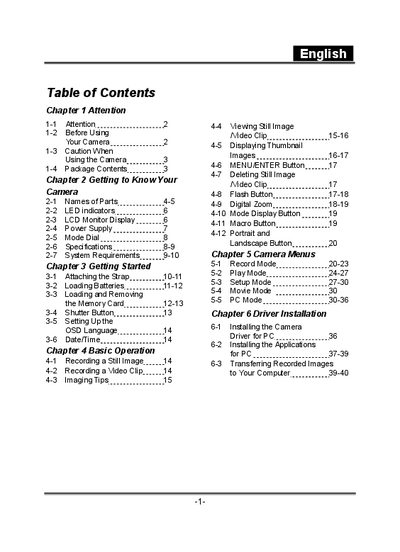
The manual begins with safety precautions, including warnings against direct sunlight, damp environments, and opening the battery cover while powered. It then describes the camera's parts, LED indicators, power supply, mode dial functions, and basic operation such as taking still images and recording video clips.
Later sections cover driver installation, connecting the camera to a computer via USB, and transferring recorded images or video files. A specifications table lists key technical details of the camera, including lens size, sensor type, ISO sensitivity, and supported storage media.
| Lens | 8.46mm |
|---|---|
| Image Sensor | 1/2" CMOS with 3.1 mega pixels |
| Focus | 8 |
| Sensitivity | ISO 100 |
| White Balance | Auto, Sunny, Cloud, Tungsten, Fluorescent |
| Shutter | Electrical |
| Shutter Speed | 1/15 sec. ~ 1/2000 sec. |
| Storage Media | 16MB Internal Flash Memory |
| SD Card Slot | MMC compatible, supports 4/8/16/32/64/128/256/512 MB |
| Image File Format | JPEG |
| Movie Format | AVI |
Slide the lens cover toward the left gently; the camera will turn on after you hear two beeps.
Install the USB driver from the supplied CD, set the camera to PC mode, connect it via the USB cable, then copy files from the removable disk that appears on your computer.
Do not expose the camera to direct sunlight, damp or dusty places, strong magnetic fields, or rain/snow; do not open the battery cover while the power is on; and avoid dropping or hitting the camera.