
This document describes the features and characteristics of a product, including 2 2s, 3 4s, 5 6s, 7 8s, and 9 OSDs.
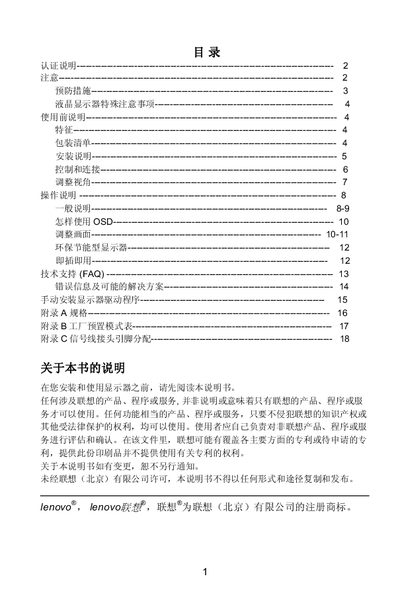
This manual provides safety warnings, certification statements, and precautions for installing and using the Lenovo L15DB LCD monitor. It includes detailed instructions for mounting, connecting power and signal cables, and adjusting the viewing angle.
The guide also covers operation of the on‑screen display (OSD), picture adjustments, energy‑saving features, plug‑and‑play setup, and a FAQ section with troubleshooting tips. Appendices list full specifications, factory mode settings, and pin assignments for the 15‑pin VGA cable. This manual is written in Chinese.
| Screen size | 38 cm (15") |
|---|---|
| Maximum resolution | 1024 × 768 @ 60 Hz |
| Power voltage range | 100/120 VAC or 220/240 VAC |
| Viewing angle adjustment | -5° to 18° |
| Signal connector | 15‑pin VGA cable |
The monitor can be tilted from –5° to 18° using the adjustment mechanism on the back.
It operates on a wide voltage range of 100/120 VAC or 220/240 VAC without user adjustment.
Connect the 15‑pin plug to the PC's graphics card output and the other end to the monitor's VGA input, securing it with the screw.
The monitor supports a maximum resolution of 1024 × 768 at 60 Hz.