
Intel® Smart Response Technology is an acceleration storage technology that uses solid-state drive (SSD) as a fast cache to improve the read performance of traditional hard drive (HDD).
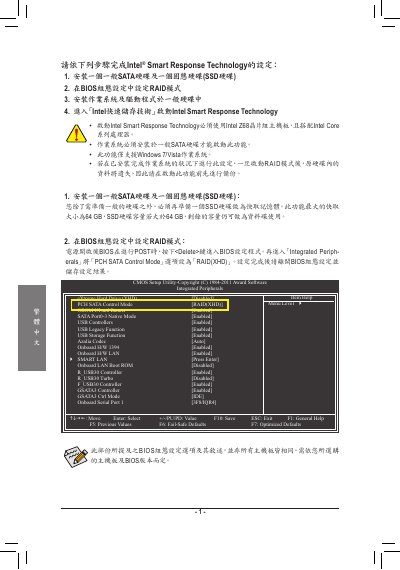
The document provides step‑by‑step instructions for enabling Intel Smart Response Technology on supported motherboards. It describes the required BIOS configuration, including setting the SATA control mode to RAID (XHD) and selecting the appropriate SSD.
It also covers the installation of the Intel RAID Storage Technology driver and the final setup of the Smart Response cache, with notes on supported operating systems such as Windows 7 and Vista. This manual is written in Chinese.
| Supported SSD size | 64 GB |
|---|---|
| SATA control mode | RAID (XHD) |
| Supported operating systems | Windows 7 / Vista |
Enter the BIOS setup and change the SATA control mode to RAID (XHD), then save and exit.
A 64 GB SSD is used as the cache device for Smart Response Technology.