
This document is a user manual for the P5A/6A/8A PROFESSIONAL STUDIO MONITOR. It describes the drivers, crossover, amplifier, installation, and setting methods for this product.
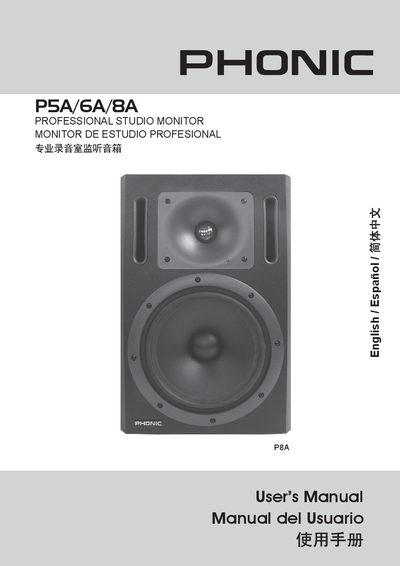
The Phonic P5A, P6A, and P8A are two-way active studio monitors with bi-amplified circuitry. P5A uses a 5-inch woofer, P6A a 6 1/4-inch woofer, and P8A an 8 3/4-inch woofer; all use a 25 mm soft dome tweeter. The active crossover uses 4th order Linkwitz-Riley filters at 1.8 kHz with 24 dB/octave slopes, and both drivers are magnetically shielded.
The monitors provide balanced XLR and 1/4 inch inputs, adjustable input sensitivity, and tone controls including Low Match, Room Compensation, and High Match. Power mode can be set to On, Auto On, or Off; in Auto On, the monitor activates with an input signal and deactivates after more than five minutes without signal. The manual also covers installation, mounting, and overload indication.
| Woofer sizes | P5A 5 inch, P6A 6 1/4 inch, P8A 8 3/4 inch |
|---|---|
| Tweeter | 25 mm (1 inch) soft dome |
| Crossover frequency | 1.8 kHz |
| Crossover slope | 24 dB/octave |
| Crossover filter | 4th order Linkwitz-Riley |
| Input connectors | Balanced XLR and 1/4 inch |
| Default input sensitivity | -6 dBu (fully clockwise) |
| High Match settings | +2, 0, -2, or -4 dB |
| Room compensation range | +/- 6 dB |
| Auto power off | After more than five minutes without signal |
| Magnetic shielding | Both drivers magnetically shielded |
They provide balanced XLR and 1/4 inch TRS phone jack inputs.
The manufacturer default is -6 dBu, fully clockwise.
In Auto On mode, the monitor turns on when a signal is sent to its input and turns off after the signal is paused for more than five minutes.
The High Match control offers +2, 0, -2, or -4 dB selections.