
This quick installation guide will guide you to quickly and correctly complete DIR-412 hardware installation and related setting settings. Please read this manual carefully.
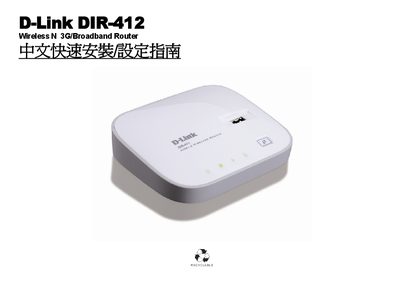
The DIR-412 is a wireless N 3G/Broadband router designed for home networking. It supports both WAN mode for standard broadband connections and 3G Router mode for cellular data, with wireless LAN and Ethernet ports for flexible connectivity.
The guide walks you through hardware installation, mode selection, power and LED indicators, wireless security settings, and how to access the web‑based configuration page (http://192.168.0.1). It also includes appendices on RJ‑45 wiring, firmware updates, and troubleshooting tips. This manual is written in Chinese.
| Power input (DC) | 5 V / 2.5 A |
|---|---|
| Power input (AC) | 100‑120 V / 0.5 A, 50‑60 Hz |
| Ethernet port speed | 10/100 Mbps |
Press and hold the Reset button for 10 seconds; the device will clear all settings and revert to factory defaults.
A continuously blinking orange power LED means the device is experiencing an abnormal condition.