
This is a user guide for a Philips mobile phone, which introduces the basic functions and operating methods of the phone.
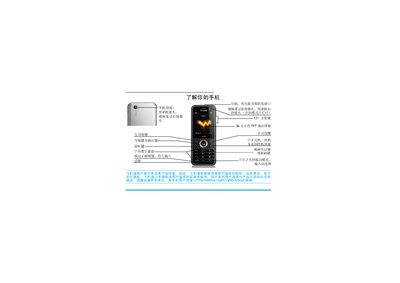
The manual explains basic phone functions such as powering on/off, making audio and video calls, using the camera, selecting input methods, and navigating the main menu. It also covers shortcut key configuration, power‑saving mode, and automatic keyboard lock settings.
Additional sections describe China Unicom custom services, call record management, scenario‑based ringtone settings, general device settings, troubleshooting tips, and environmental compliance information. This manual is written in Chinese.
| Display | 20,000‑color TFT LCD |
|---|---|
| Memory Card Support | micro‑SD storage card |
Press and hold the power key to turn the phone on or off.
Enter the phone number on the standby screen, then press the side key to dial.
Enter the shortcut menu ( > > ) and select the automatic keyboard lock option to set the lock timeout.