
This is a user manual for the Canon imageCLASS MPC190
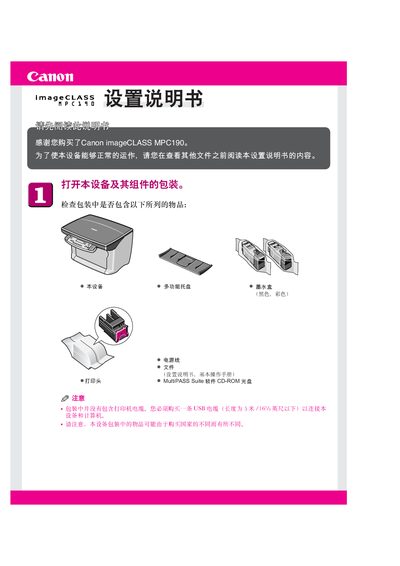
This manual guides you through unpacking the Canon imageCLASS MPC190 printer set, checking the package contents, and preparing the device for use. It explains how to connect the printer to a computer via USB (up to 5 m), load paper, and install the MultiPASS Suite software for Windows operating systems.
Further sections cover installing the black and color ink cartridges safely, handling the printer’s internal components, and completing the software installation with appropriate administrator rights. Safety notes and troubleshooting tips are included to ensure reliable operation. This manual is written in Chinese.
Connect the USB cable (no longer than 5 m) from the printer to the computer.
Insert the MultiPASS Suite CD‑ROM, run the installer, and follow the on‑screen prompts; on Windows XP/2000 run as Administrator.