
This quick start guide describes a series of processes from opening the package to using the scanner, including installing the driver, using the bundled software to scan, and troubleshooting
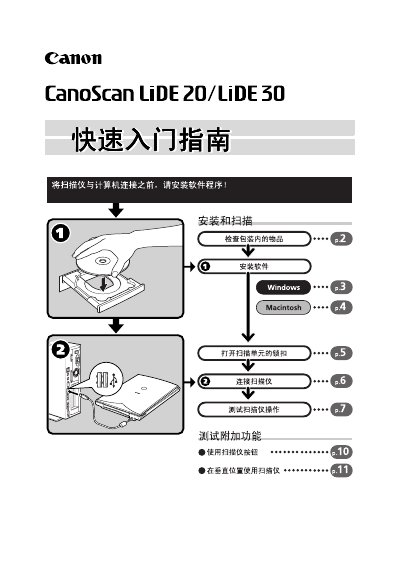
The guide provides step‑by‑step instructions for unpacking the scanner, unlocking the scanner unit, connecting it with the supplied USB cable, and installing the required software on Windows or Macintosh computers. It also explains how to operate the three scanner buttons (Scan, Copy, E‑Mail) and outlines troubleshooting tips.
Technical specifications are listed, including the flatbed type, CIS sensor, RGB LED light source, optical resolution up to 1200 × 2400 dpi (optional 9600 dpi), USB 2.0 interface, maximum document size A4/Letter, and power supplied via the USB port. This manual is written in Chinese.
| Scanner type | Flatbed |
|---|---|
| Scan element | CIS (Contact Image Sensor) |
| Light source | 3‑color (RGB) LED |
| Interface | USB 2.0 Full Speed (USB 1.1 compatible) |
| Buttons | 3 (Scan, Copy, E‑Mail) |
| Power source | Provided via USB port |
| Power consumption | Maximum 2.5 W (idle 1.25 W) |
| Weight | ≈1.5 kg (3.3 lb) |
Only the USB interface cable supplied with the scanner should be used; other cables may cause faults.
The scanner has three buttons labeled Scan, Copy, and E‑Mail.
Power is supplied through the USB port when the computer is turned on.