
KL-M6000 Ethernet module is an intelligent device that can collect 8 analog signals and transmit the collected data via Ethernet. When the Ethernet module is connected to the network via an Ethernet port, you can access it like a normal WEB server. Through the webpage you can observe the data in real time. You can even connect this module to the wide area network, and apply a domain name and bind it to the IP address you set for the module, so you can see the monitoring data in real time in any place with Internet access.
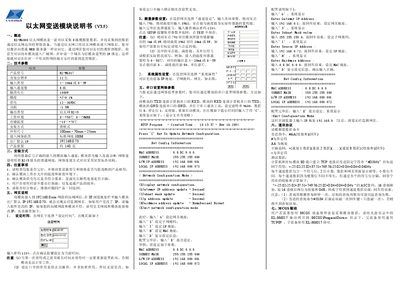
The KL‑M6000 Ethernet module is an 8‑channel analog data acquisition device that transmits data over Ethernet. It supports 4‑20 mA or 0‑5 V inputs and can be accessed via a web browser like a standard web server, allowing real‑time monitoring and remote access through the internet.
The manual covers technical specifications, installation steps, network configuration (both web‑based and serial), communication protocol details, and driver setup for MCGS software. It also includes safety precautions and troubleshooting tips. This manual is written in Chinese.
| Product Model | REL-M6017 |
|---|---|
| Resolution | 12 bits |
| Input Type | 4‑20 mA or 0‑5 V |
| Input Channels | 8 |
| Isolation Voltage | 1000 V |
| Supply Voltage | 12‑36 VDC |
| Output Type | Ethernet RJ45 |
| Operating Temperature | 0‑+50 °C |
| Installation Type | Slide‑rail |
| Dimensions (W×H×D) | 100 mm × 70 mm × 25 mm |
| Network Cable Length | 100 m (standard Ethernet cable) |
| Default IP Address | 192.168.0.73 |
| Weight | ≈140 g |
The module ships with the default IP address 192.168.0.73, which can be changed via the web interface under “System Properties”.
Connect the module’s TXD to the computer’s RXD, RXD to TXD, and GND to GND, open a serial terminal at 9600 baud, 8‑N‑1, and use commands such as “I” for IP address, “G” for gateway, “S” for subnet mask, and “H” for hardware (MAC) address.
Each of the eight input channels accepts either a 4‑20 mA current loop or a 0‑5 V voltage signal.
Select “Set Time” on the web page, enter the password 1234, and confirm to set the current time; the password protects against accidental changes but is not encrypted.