
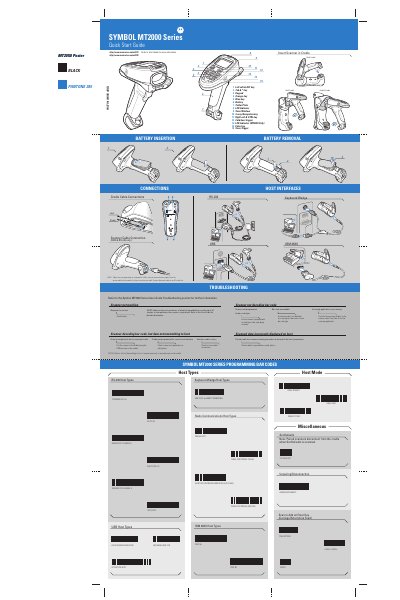
This Quick Start Guide introduces the Symbol MT2000 Series handheld barcode scanner and its cradle. It describes the key hardware components, host interface options (RS‑232, USB, keyboard wedge), and the steps to power the device, insert the scanner into the cradle, and perform basic scanning operations.
The guide also covers troubleshooting tips, programming bar‑code commands, LED and beeper indications, battery charging requirements, and regulatory information. Additional sections explain cradle mounting, pairing/unpairing procedures, and safety guidelines for battery handling and wireless use.
| Host interfaces | RS‑232, USB, Keyboard wedge |
|---|---|
| Battery charging temperature range | +32°F to +104°F (0°C to +40°C) |
| Battery level indicators | 0 %–100 % with markers at 25 %, 50 %, 75 %, 100 % |
Charge the battery only when the temperature is between +32°F and +104°F (0°C to +40°C).
The scanner can connect via RS‑232, USB, or a keyboard‑wedge interface.
Scan the barcode labeled “Set Defaults” to restore the cradle’s default configuration.
LED indicators show power status, battery level, and pairing status with the cradle.