
This is a user manual for a watch, which introduces the watch's usage methods and features.
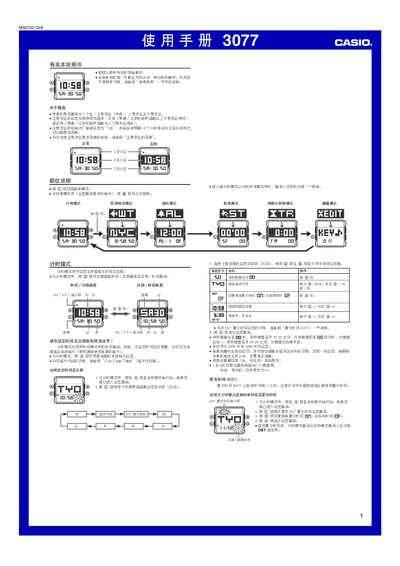
The Casio 3077 watch manual provides step‑by‑step instructions for all operating modes, including time and date setting, world‑time city selection, alarm configuration, stopwatch measurement, countdown timer setup, and editing of display preferences. Safety notes for lighting and automatic illumination are also included.
Each mode is accessed with the C button and settings are adjusted using the A, B and D buttons. The document details how to enable or disable features such as button‑press sounds, 12/24‑hour format, main‑display styles, 00‑second animation and automatic zoom. This manual is written in Chinese.
| Display zones | Three (main, upper, lower) |
|---|---|
| Main display default mode | 12‑hour (12H) after power‑on |
| Stopwatch display limit | 59 min 59.99 sec |
| Countdown timer range | 1 min to 24 hours |
Enter Time mode, hold the A button until the seconds flash, then use the C, D and B buttons to select and adjust the desired fields.
In Time mode, hold the B button for about 3 seconds to toggle the automatic illumination on or off; an indicator will appear when it is active.