
This document is a manual for 3797 1 MA0505-CkA. The manual introduces various functions and operations of the product, including timer mode, countdown mode, alarm mode, etc. It also provides instructions on how to set the target date and alarm time. The manual provides detailed explanations and operation guides.
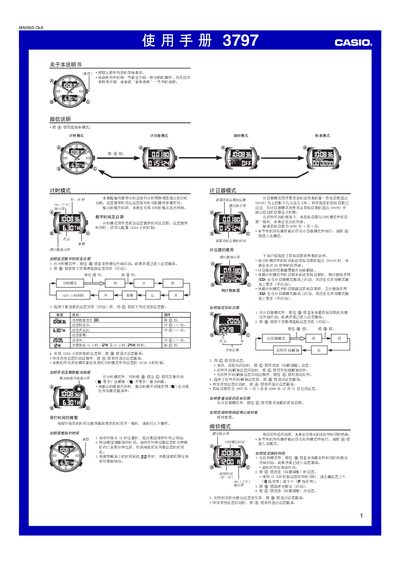
The Casio 3797 is a digital‑analog wristwatch that offers multiple modes such as timekeeping, countdown timer, alarm and stopwatch. This manual describes each mode, the button functions, and how to adjust settings like the target date, 12/24‑hour format, and hourly chime.
Step‑by‑step instructions are provided for setting the digital time and date, configuring the alarm, using the countdown timer, operating the stopwatch, and adjusting the analog hands. The guide also covers automatic return to the timekeeping mode after inactivity and how to test or stop the alarm. This manual is written in Chinese.
| Target date range | 1997‑01‑01 to 2099‑12‑31 |
|---|---|
| Stopwatch maximum time | 23:59:59 |
| Alarm sound duration | 20 seconds |
| Timing functions | Digital and analog independent timing |
Switch to Alarm mode, hold the B button until the hour digits flash, then use the C button to adjust the hour and minute, and press B to exit.
Enter Stopwatch mode with the A button; the watch measures elapsed time up to 23 hours 59 minutes 59 seconds, and you can start, stop, reset, or record split times using the A, B, and C buttons.
Pull out the crown when the seconds hand points to 12, rotate the crown to move the hands, then push the crown back in when the seconds reach 00.