
Key facts
- Brand
- Gemei
- Model
- X-750
- Category
- MP4 Player
- Industry
- Electronics
- Documents
- 2
- Languages
- ZH
- Last added
- 2012-03-28
Start here
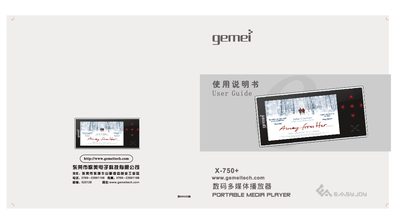
Gemei X-750+ Multimedia Player User Guide
This user guide provides safety precautions, key layout, and step‑by‑step instructions for playing audio, video, radio, recording, e‑books, and connecting to a TV or computer. It also covers firmware upgrades, MiniSD card handling, and power management.
The manual includes a full specification table and a troubleshooting section that helps resolve common issues such as power problems, USB connection errors, and file‑transfer difficulties. This manual is written in Chinese.
Gemei X-750 specifications
| Supported video formats | RMVB, MP4, 3GP, AVI, ASF, MOV, MPE, DAT, FLV, MPEG, MPG |
|---|---|
| Supported audio formats | MP3, WMA, WAV, APE, FLAC |
| Playback modes | Loop, Sequential, Random, Single‑track loop, Single‑track |
| Recording capability | MP3 compressed recording |
| PC interface | USB 2.0 High Speed |
All Gemei X-750 documents by type
Day-to-day operation, settings and troubleshooting. Start here if the product is already set up.
Questions answered in these manuals
How can I format the player?
Use the format function in the menu; it works the same way as Windows disk formatting – back up important data first because formatting erases everything.
How do I update the song library after adding new files?
Press the [M] key in the music list to refresh the song information and update the library.