
Key facts
- Brand
- Gemei
- Model
- HD-717
- Category
- MP4 Player
- Industry
- Electronics
- Documents
- 2
- Languages
- ZH
- Last added
- 2012-03-28
Start here
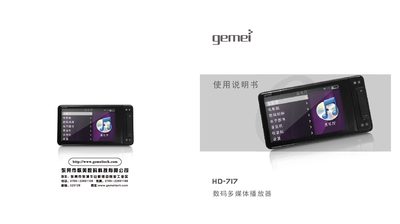
Gemei HD-717 Multimedia Player User Manual
This manual covers the Gemei HD-717 portable multimedia player, describing its main functions, supported media formats, and hardware specifications. It includes safety precautions, basic operation steps, and guidance for using accessories such as TF cards and USB connections.
Key sections explain how to play audio and video files, manage files, use the HD output, charge the device via USB, and format the internal storage. Troubleshooting tips and FAQ answers address common user questions. This manual is written in Chinese.
Gemei HD-717 specifications
| Screen size and resolution | 3‑inch 400×240 LTPS display |
|---|---|
| Frequency response | 87.5 Hz – 108 kHz |
| Maximum output power | 10 mW × 2 |
All Gemei HD-717 documents by type
Day-to-day operation, settings and troubleshooting. Start here if the product is already set up.
Questions answered in these manuals
How do I safely remove a USB device?
Press the USB eject button at the lower right corner, then unplug the USB connector.
How do I format the internal storage?
Select the format option in the menu, confirm the action, and the player will erase and re‑initialize the storage.
Why can’t some audio files play on the player?
Only supported formats such as MP3, WMA, APE, and FLAC are playable; unsupported formats will not play.