
EZ-2000 series label printers are suitable for high volume label printing requirements. The metal housing and precision design are sturdy, durable and easy to operate, making them the best tool to improve efficiency.
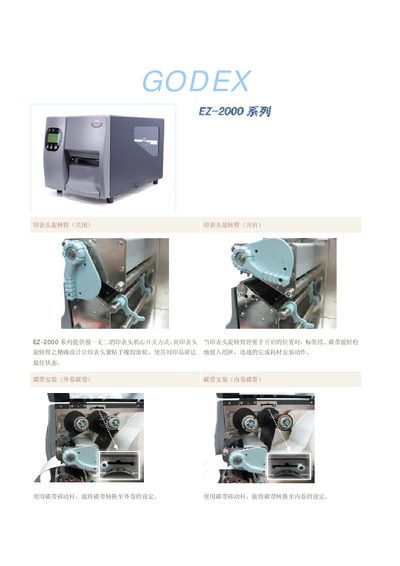
The EZ-2000 series provides a unique printhead switching mechanism that allows easy loading of label paper and ribbon. The printhead arm locks in the open position for printing and aligns tightly with the rubber roller to ensure high print quality. Consumables such as the ribbon can be installed in either external or internal winding configurations using the ribbon moving lever.
The series supports multiple data interfaces—including PS‑2, USB, serial, and parallel ports—and features a large back‑lit LCD display for clear information. Different models target various applications: the EZ‑2100 and EZ‑2200 are designed for high‑speed, large‑volume labeling, while the EZ‑2300 focuses on precision labeling with higher resolution. This manual is written in Chinese.
| Maximum print speed (EZ-2100 / EZ-2200) | 6 inches per second |
|---|---|
| Maximum print speed (EZ-2300) | 4 inches per second |
| Ribbon length | 450 meters |
| Display | Large back‑lit LCD |
Use the ribbon moving lever to set the ribbon for either external or internal winding.
Both models can print up to 6 inches per second.
The EZ-2300 prints up to 4 inches per second.