
Key facts
- Manuals
- 7
- Models
- 3
- Languages
- EN
- Last added
- 2026-10-27
Racepak models by category
Featured Racepak manuals
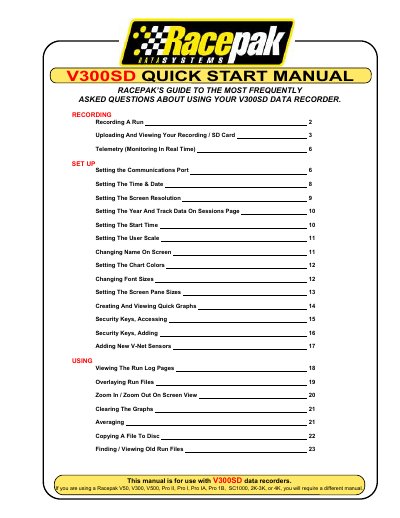
Racepak V300SD Data Recorder Quick Start Manual
This manual provides instructions for operating the Racepak V300SD data recorder. It details how to record a run by managing power and the enable button, as well as procedures for ending a session safely to prevent data loss.
The guide also covers transferring recorded data from an SD memory card to a computer using the Racepak DataLink II program, including selecting configurations and saving session information. Additionally, it explains how to set up real-time telemetry monitoring on a PC screen.
Covers: Recording a Run · Uploading and Viewing Your Recording · Telemetry (Monitoring in Real Time) · Setting Up the Communications Port · Setting the Time & Date · Security Keys
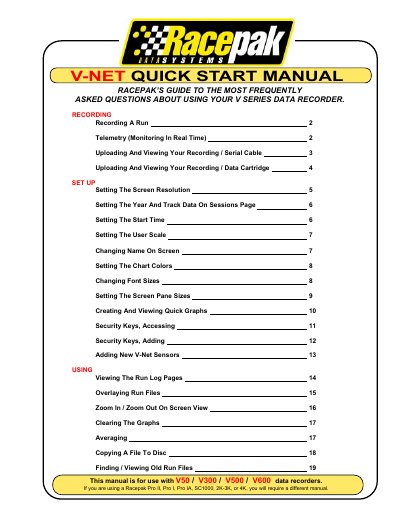
Racepak V300/V500/V600 Data Recorders User Manual
This manual serves as a quick start guide for Racepak V-series data recorders, specifically models V300, V500, and V600. It provides instructions on how to record runs, monitor telemetry in real-time, and upload data to a computer using either a serial cable or a data cartridge method.
Covers: Recording A Run · Telemetry Monitoring · Uploading Recording Serial Cable · Uploading Recording Data Cartridge · Setting Screen Resolution · Setting Year and Track Data
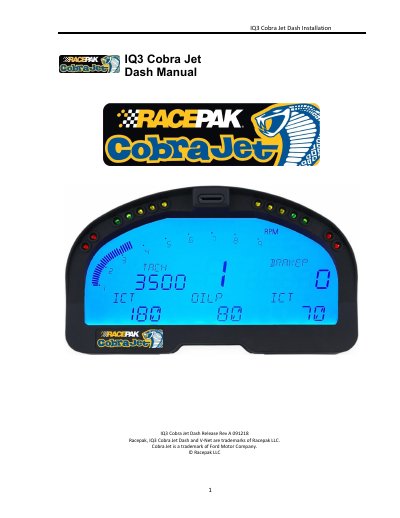
Racepak IQ3 Cobra Jet Dash Installation Manual
This manual provides step-by-step instructions for installing and configuring the Racepak IQ3 Cobra Jet Dash, including hardware setup, software installation, and programming the display. It covers features like shift lights, warning indicators, and external sensor connections via V-Net. The guide also explains data recording, troubleshooting, and compatibility with Windows PCs.
The manual includes sections on configuring the display using DataLink software, setting up telemetry, managing microSD memory cards, and resolving common issues such as communication failures or sensor channel lockups.
Covers: Disclaimer · Warranty · Manual Summary · IQ3 Cobra Jet Dash Functions · PC Minimum Requirements · DataLink Programming Software
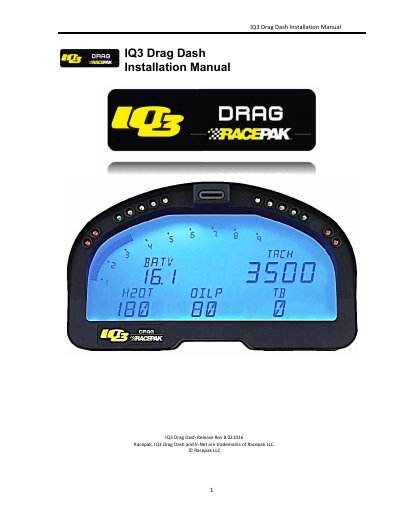
IQ3 Drag Dash Installation Manual
The 1Q3 Drag Dash is a fully programmable LCD digital display designed to be used as a standalone unit or connected via V-Net. It features an internal progressive shift light, four user-programmable warning LEDs, and the ability to display engine RPM, driveshaft RPM, coolant temperature, oil pressure, battery voltage, and gear position.
The manual covers installation requirements including power supply and grounding, wiring pinouts for external sensors via V-Net (up to 6 channels), and OBDII/EFI interfaces. It also details the use of the DataLink PC software for configuration file management, programming display pages, setting up telemetry parameters, and managing data recording on a microSD card.
Covers: Manual Summary · Items Included with the Kit · General Feature Overview · 1Q3 Drag Dash Displayed Features · Installation · Power Supply and Grounding
Latest Racepak manuals
Racepak V300SD Data Recorder Quick Start Manual
User Manual 24 pages · 529 KB · ENQuick start guide for the Racepak V300SD data recorder covering run recording, uploading to PC via SD card, real-time telemetry monitoring, and software setup.
Racepak V300/V500/V600 Data Recorders User Manual
User Manual 20 pages · 284 KB · ENUser manual for Racepak V300, V500, and V600 data recorders covering recording, telemetry, uploading, and setup instructions.
Racepak IQ3 Cobra Jet Dash Installation Manual
User Manual 48 pages · 2.5 MB · ENInstallation and programming guide for Racepak's IQ3 Cobra Jet Dash data logger with V-Net sensor support.
IQ3 Drag Dash Installation Manual
User Manual 63 pages · 1.2 MB · ENInstallation and programming guide for the Racepak 1Q3 Drag Dash, a programmable LCD digital display dash with an internal data logger.
IQ3 Street Logger Dash Installation Manual
Installation Guide 63 pages · 3.3 MB · ENInstallation and programming guide for the Racepak 1Q3 Street Logger Dash, covering wiring, sensor setup, and DataLink software configuration.
Racepak 250-DS-IQ3 Display Dash Installation Manual
Installation Guide 28 pages · 815 KB · ENThis installation manual covers the setup and programming of the Racepak 250-DS-IQ3 display dash, including hardware features, mounting instructions, and…
RacePak V300SD/V500SD Data Recorders Installation Manual
Installation Guide 47 pages · 1.2 MB · ENOfficial installation guide for the RacePak V300SD and V500SD data loggers, covering system setup, wiring harness connection, sensor configuration, and…
Which document do I need?
User Manual
Day-to-day operation, settings and troubleshooting. Start here if the product is already set up.
Installation Guide
Mounting, wiring and first power-up. Read it before the hardware goes in.
Questions answered in Racepak manuals
What happens if power is turned off while recording?
The recorder may lose as much as the final three seconds of the recording period.
How long does it take for the recorder to start logging data?
There will be a slight delay of approximately 3-4 seconds before the recorder starts logging data.
What is the minimum recommended screen resolution for the DataLink software?
The manual recommends setting the screen resolution to a minimum of 1024 X 768 pixels to ensure the full picture is displayed.
How long must the recorder be powered on before pressing the 'Start Recording' button?
You should turn the power on no less than ten seconds before you intend to press the 'Start Recording' button.
What is the IQ3 Cobra Jet Dash used for?
It is the main component of the system, as it contains the data logger and microSD memory card.
What is the maximum size of microSD card supported?
The IQ3 Dash supports standard microSD or microSDHC cards up to 16GB.