
Key facts
- Brand
- Racepak
- Model
- V300
- Category
- Vehicle maintenance
- Documents
- 3
- Languages
- EN
- Last added
- 2026-10-27
Start here
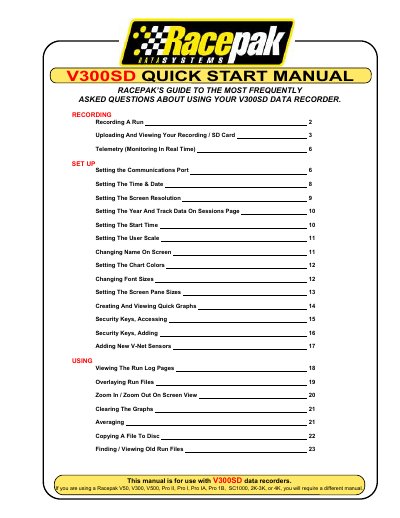
Racepak V300SD Data Recorder Quick Start Manual
This manual provides instructions for operating the Racepak V300SD data recorder. It details how to record a run by managing power and the enable button, as well as procedures for ending a session safely to prevent data loss.
The guide also covers transferring recorded data from an SD memory card to a computer using the Racepak DataLink II program, including selecting configurations and saving session information. Additionally, it explains how to set up real-time telemetry monitoring on a PC screen.
Racepak V300 specifications
| V300 Channels (Digital) | 4 |
|---|---|
| V300 Channels (Analog) | 4 |
| V300 Memory | 1 megabyte |
| V500 Channels (Digital) | 8 |
| V500 Channels (Analog) | 8 |
| V500 Memory Standard | 2 megabytes |
| Max V_Net Devices | 32 |
Source: RacePak V300SD/V500SD Data Recorders Installation Manual
All Racepak V300 documents by type
Day-to-day operation, settings and troubleshooting. Start here if the product is already set up.
Mounting, wiring and first power-up. Read it before the hardware goes in.
Questions answered in these manuals
What happens if power is turned off while recording?
The recorder may lose as much as the final three seconds of the recording period.
How long does it take for the recorder to start logging data?
There will be a slight delay of approximately 3-4 seconds before the recorder starts logging data.
What is the minimum recommended screen resolution for the DataLink software?
The manual recommends setting the screen resolution to a minimum of 1024 X 768 pixels to ensure the full picture is displayed.
How long must the recorder be powered on before pressing the 'Start Recording' button?
You should turn the power on no less than ten seconds before you intend to press the 'Start Recording' button.
What is the difference between the V300 and V500?
The V300 monitors 4 digital and 4 analog channels with 1 MB memory, while the V500 monitors 8 of each channel type with 2 MB standard memory.
From: RacePak V300SD/V500SD Data Recorders Installation Manual
Can the data loggers be expanded?
Yes, both models can connect to up to 32 V_Net devices for additional sensors.
From: RacePak V300SD/V500SD Data Recorders Installation Manual