
Epson Stylus Pro 10000 Printer Guide

This document is the user guide for EPSON Stylus ® Pro 10000 printer
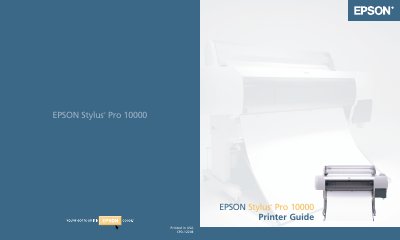

Epson Stylus Pro 10000 Printer Guide - cover page
Brand
Epson
Category
Printer
Document type
User Manual
Language
English
Pages
168
File format
PDF
File size
2.3 MB
Published
05 December, 2012
Updated
30 September, 2023
MD5 checksum
15C1AAFE2EDA8476E48D216CF0D7C0B9

About this manual

The Epson Stylus Pro 10000 is a large-format inkjet printer designed for high-quality printing on various media types. This guide provides instructions on installing ink cartridges, loading roll paper, and connecting the device to computers via USB, parallel ports, or IEEE 1394 (FireWire). It also details software installation for both Macintosh and Windows systems.

What's inside

  • Introduction
  • Setting Up the Printer
  • Handling Paper and Other Media
  • Printing with EPSON Drivers
  • Monitoring and Configuring the Printer
  • Maintaining and Transporting the Printer
  • Resolving Problems

Specifications

Document Part NumberCPD-122085/01

Frequently asked questions

What is the intended use of the information in this guide?

The information is designed only for use with these EPSON printers.

What is the consequence of connecting a non-shielded cable to the printer?

It will invalidate the FCC Certification and may cause interference levels to exceed limits.

What happens if the equipment is operated in a residential area?

Operation is likely to cause harmful interference, requiring the user to correct it at their own expense.

Download PDF (2.3 MB)

More Epson Manuals


View all Epson manuals →