
This is a product manual for Epson Perfection 2480 Photo scanner.
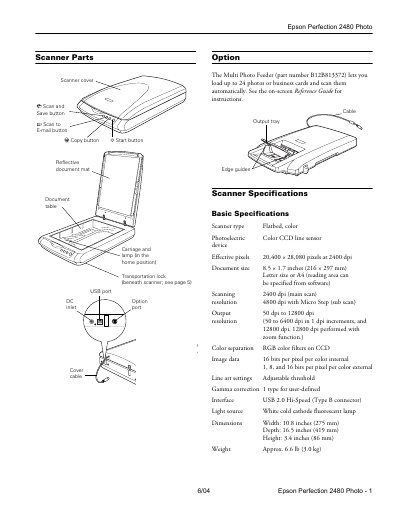
The document serves as a user guide for the Epson Perfection 2480 Photo flatbed color scanner. It details the physical components of the device, such as the scanner cover, reflective document mat, and Multi Photo Feeder option. The manual outlines basic specifications including scanning resolution up to 12,800 dpi with zoom and a USB 2.0 Hi-Speed interface.
| Scanner type | Flatbed, color Photoelectric device |
|---|---|
| Effective pixels | 20,400 x 28,080 pixels at 2400 dpi |
| Scanning resolution | 50 to 12,800 dpi |
| Interface | USB 2.0 Hi-Speed (Type B connector) |
| Power consumption | 17.0 W operating, 5.0 W sleep mode |
| Dimensions | Width: 10.8 inches, Depth: 16.5 inches, Height: 3.4 inches |
| Weight | Approx. 6.6 lb (3.0 kg) |
The Multi Photo Feeder lets you load up to 24 photos or business cards and scan them automatically.
The scanner supports output resolutions from 50 dpi to 12,800 dpi.
The scanner should operate between 41 and 95 °F (5 to 35 °C).