
Key facts
- Brand
- ZOOM
- Model
- A2.1u
- Category
- Other
- Industry
- Electronics
- Documents
- 4
- Languages
- ES · EN · JA
- Last added
- 2023-11-16
Start here
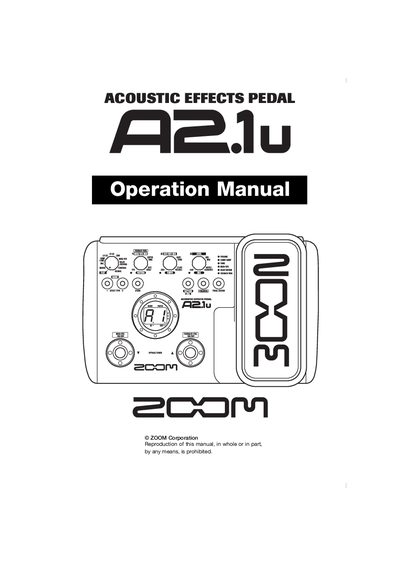
ZOOM A2.1u Acoustic Effects Pedal Operation Manual
The ZOOM A2.1u is a sophisticated effect processor designed specifically for acoustic guitar. It features advanced signal processing with 96 kHz/24 bit sampling and internal 32-bit processing to ensure excellent sound quality. The unit includes a full array of 47 effects optimized for acoustic instruments, allowing up to eight effects to be used simultaneously.
Read onlineZOOM A2.1u specifications
| Sampling rate | 96 kHz / 24 bits |
|---|---|
| Internal processing | 32 bits |
| Frequency response | flat to 40 kHz |
| Total effects | 47 |
| Program change gap | less than 8 ms |
| Battery life | 6 hours |
| Power adapter | 9V DC, 300 mA |
All ZOOM A2.1u documents by type
Day-to-day operation, settings and troubleshooting. Start here if the product is already set up.
Questions answered in these manuals
What AC adapter is required for the ZOOM A2.1u?
Use only an AC adapter that supplies 9V DC, 300 mA, such as the Zoom AD-0006.
What type of batteries does the A2.1u use?
It uses four IEC R6 (size AA) batteries, and the manual says to use only alkaline batteries.
What type of batteries does the A2.1u use?
The unit uses four conventional IEC R6 (size AA) alkaline batteries.
Can the A2.1u be used as an audio interface for a computer?
Yes, it features a built-in USB port that allows direct connection to a computer.
How can the A2.1u be used with a computer for recording?
Connect the pedal to the computer via USB, install the Zoom ASIO driver from the Zoom website, and configure the audio settings in Cubase LE 4.
What is the warranty period for the A2.1u?
The warranty lasts one year from the purchase date, provided the warranty card is presented and the product has not been damaged by misuse.