
Key facts
- Manuals
- 80
- Models
- 6
- Languages
- EN
- Last added
- 2026-10-03
ZOOM models by category
Featured ZOOM manuals
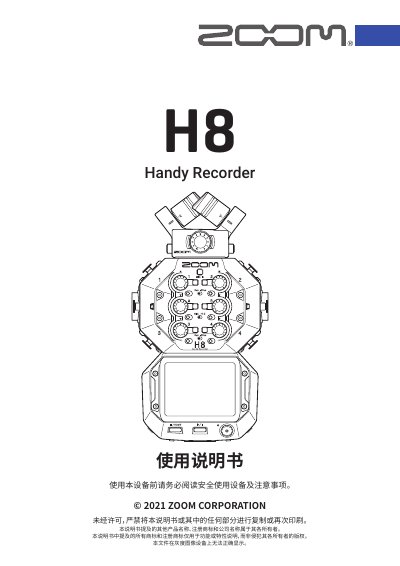
Zoom H8 Handy Recorder User Manual
This manual covers all aspects of the Zoom H8 Handy Recorder, including its three recording applications (FIELD, MUSIC, PODCAST), interchangeable microphone heads, and the intuitive 2.4‑inch touchscreen. It explains how to prepare the device, insert SD cards, manage power, and configure language, date, and time settings.
Detailed sections describe connecting the H8 to computers, iOS/iPadOS devices, and external microphones or instruments, as well as using the built‑in audio interface, adjusting input gains, phantom power, and output levels. Troubleshooting tips, firmware updates, and technical specifications are provided at the end of the document.
Covers: Device Overview · Recording Applications · Unit Functions and Controls · Microphone Head Options · Touchscreen Operation · Power and Battery Management
Latest ZOOM manuals
Zoom H8 Handy Recorder User Manual
User Manual 164 pages · 10.4 MB · ENThe Zoom H8 Handy Recorder User Manual provides setup, operation, connectivity, and maintenance instructions for the portable recorder.
ZOOM 509 Manual
This document describes the features and performance of the ZOOM 509, including two modulation modules, 20 effects, Harmonized Pitch Shifter, 24 patch storage, and auto-chromatic tuner.
ZOOM 503 Manual
The ZOOM 503 is a compact multi-effect device that convincingly recreates the sound of famous guitar or bass amplifiers.
ZOOM 506 BASS Manual
This manual provides an overview of the features and functions of the ZOOM 506 effects processor, including 24 built-in effects, programmable patches, auto-chromatic tuner, and optional foot controllers.
ZOOM 507 REVERB Manual
The ZOOM 507 is a compact, powerful effects processor that offers high-quality reverb, delay, and spatial effects at an affordable price. It is ideal for home recording and live performances. The 507 also features an automatic chromatic tuner for easy tuning of your instrument.
ZOOM 508 DELAY Manual
The 508 is a high-quality delay effects unit developed by Zoom. It features eight delay types and supports up to 4000 milliseconds of delay time.
ZOOM 510 DUALPOWER DRIVER Manual
The ZOOM 510 is a dual-channel guitar and bass effects processor. It has two independent effect modules, PRE DRIVE and MAIN DRIVE, that you can switch between or connect in parallel or series to create a variety of different effects. The 510 also has an auto-chromatic tuner built-in, so you can quickly and accurately tune your instrument anytime, anywhere.
ZOOM FIRE-30 Manual(1)
This manual introduces the features and characteristics of the ZOOM MODELING GUITAR AMPLIFIER FIRE-30, as well as how to use the product.
ZOOM FIRE-18 MODELING GUITAR AMPLIFIER Mode d emploi
This manual introduces the operation and feature of ZOOM FIRE-18
ZOOM FIRE-36 MODELING GUITAR AMPLIFIER Operation Manual
zoom fire-18 modeling guitar amplifier Operation Manual
This manual describes the features and usage of the ZOOM MODELING GUITAR AMPLIFIER FIRE-18.
ZOOM FIRE-36M Supplemental Manual
This document describes the features and characteristics of the ZOOM FIRE-36M product. It is a modified version of the Modeling Guitar Amplifier FIRE-36M, adding built-in mics and direct output jacks.
ZOOM FIRE-18M Supplemental Manual
The ZOOM FIRE-18M is a modeling guitar amplifier that features a built-in microphone for picking up the sound of the speaker, and a set of direct output jacks.
zoom rhythm trak RT-123 Operation Manual
RT-123 User Manual, introduces the use of RT-123 and precautions
zoom rhythm trak RT-234 Operation Manual
This manual explains the usage and safety precautions of RhythmTrak •••234
Which document do I need?
User Manual
Day-to-day operation, settings and troubleshooting. Start here if the product is already set up.
Questions answered in ZOOM manuals
How many tracks can be recorded simultaneously in the FIELD application?
The FIELD application supports up to 12 simultaneous recording tracks.
How do I connect the H8 to an iOS or iPadOS device for remote control?
Connect a wireless adapter such as the BTA‑1 and use the H8 Control iOS/iPadOS app to control the recorder remotely.