
Key facts
- Brand
- Vivotek
- Model
- ND9541
- Category
- Digital Video Recorder
- Documents
- 3
- Languages
- EN
- Last added
- 2026-11-06
Start here
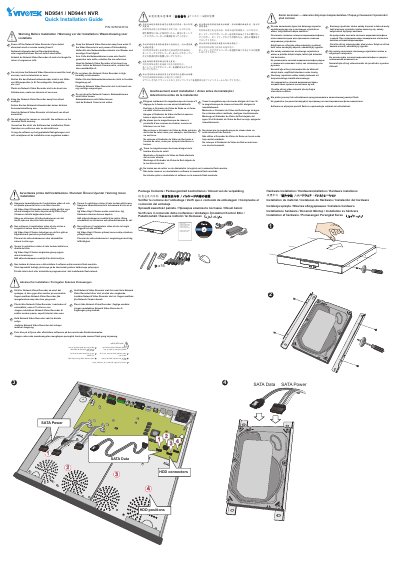
VIVOTEK ND9541 / ND9441 NVR Quick Installation Guide
This document serves as a quick installation guide for the VIVOTEK ND9541 and ND9441 Network Video Recorders (NVR). It outlines critical safety precautions that must be observed before installation, including warnings regarding water exposure, heat sources, humidity, and smoke detection. Users are instructed to power off the device immediately if it becomes wet, emits smoke, or produces an abnormal smell. The guide also advises against placing the unit in high humidity environments or near heat sources like televisions or ovens, and warns against direct sunlight exposure. Additionally, it explicitly states that software on the mounted flash memory should not be removed or uninstalled by the user.
Read onlineVIVOTEK ND9541 specifications
| System OS | Embedded Linux |
|---|---|
| CPU | ARM Processor |
| RAM (ND9441P) | 2 GB |
| RAM (ND9541P) | 4 GB |
| HDD Devices Internal | x4 HDD Max. Capacity 8 TB x4 |
| RAID Configurations | 0, 1, 5 (Max Volume: 16TB) |
| Video Output | HDMI x1, VGA x1 |
Source: VIVOTEK ND9441P/ND9541P H.265 16-CH/32-CH NVR Product Leaflet
All VIVOTEK ND9541 documents by type
The shortest path to a working setup, usually only a few pages.
Day-to-day operation, settings and troubleshooting. Start here if the product is already set up.
Questions answered in these manuals
What should you do if the Network Video Recorder is wet?
You must power off the Network Video Recorder immediately.
Where should you not place the Network Video Recorder?
Do not place the Network Video Recorder in high humidity environments or around heat sources such as a television or oven.
What is the maximum recording capacity compared to H.264?
The NVRs offer greater than 30% more recording capacity than H.264 systems.
From: VIVOTEK ND9441P/ND9541P H.265 16-CH/32-CH NVR Product Leaflet
Which RAID configurations are supported?
The NVRs support RAID 0, 1, and 5 configurations.
From: VIVOTEK ND9441P/ND9541P H.265 16-CH/32-CH NVR Product Leaflet
What kind of network can the NVR's PoE ports be connected to?
The NVR is only to be connected to PoE networks without routing to outside plants, and for PoE connection only UL listed I.T.E. with PoE output should be used.
From: VIVOTEK ND9541 / ND9441 Network Video Recorder User's Manual
What Ethernet cables are recommended for the NVR's uplink port?
Use CAT5e or CAT6 cables with a wire gauge of 24AWG for the NVR's uplink port, and shielded cables in high noise environments.
From: VIVOTEK ND9541 / ND9441 Network Video Recorder User's Manual