
Key facts
- Brand
- Vivotek
- Model
- IP7133
- Category
- Other Electronics
- Documents
- 2
- Languages
- PT
- Last added
- 2023-11-03
Start here
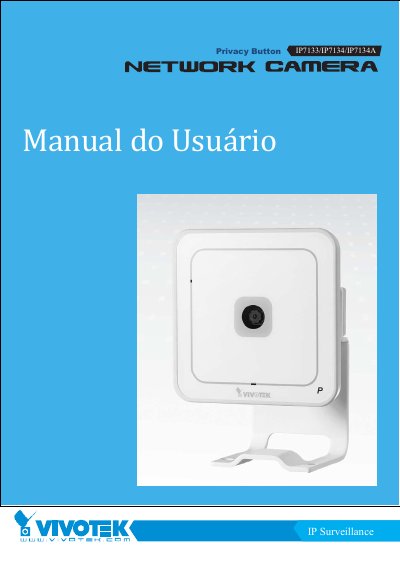
VIVOTEK IP7133/IP7134/IP7134A Network Camera User's Manual
This Portuguese user's manual describes the VIVOTEK IP7133 wired network camera and the IP7134/IP7134A wireless network cameras. It covers physical description, installation, software setup, accessing the camera through web browsers, players, compatible mobile phones, and recording software.
The manual also explains configuration pages for system, security, network, wireless LAN, DDNS, access list, audio and video, motion detection, application settings, system log, parameter viewing, and maintenance. Appendices include technical specifications and license and EMC notices. This manual is written in Portuguese.
VIVOTEK IP7133 specifications
| Processor | VIVOTEK VVTK-1000 |
|---|---|
| Simultaneous video streams | MPEG-4 and MJPEG |
| Wireless LAN | 802.11b/g on IP7134 and IP7134A |
| Network connector | RJ45 10/100 |
| I/O terminal pin 1 | Power |
| I/O terminal pin 3 | Digital input |
| I/O terminal pin 4 | Ground |
Source: VIVOTEK IP7133/IP7134/IP7134A Network Camera User's Manual
All VIVOTEK IP7133 documents by type
Day-to-day operation, settings and troubleshooting. Start here if the product is already set up.
Questions answered in these manuals
How do I access the IP camera with a web browser?
Start a web browser, enter the camera's IP address in the address field, and press Enter.
From: VIVOTEK IP7133/IP7134/IP7134A Network Camera User's Manual
How do I reboot the camera?
Press and release the reset button; the status LED starts blinking red.
From: VIVOTEK IP7133/IP7134/IP7134A Network Camera User's Manual
What is the IP7133/IP7134 used for?
This guide describes the basic functions of the IP7133/IP7134 network camera.
What type of Ethernet cable is required to connect directly to a PC?
You must use a Category 5 Crossover Cable when connecting the camera directly to a PC.