
Key facts
- Brand
- Universal Robots
- Model
- UR3
- Category
- Industrial Robot
- Industry
- Industrial
- Documents
- 2
- Languages
- ZH
- Last added
- 2026-10-15
Start here
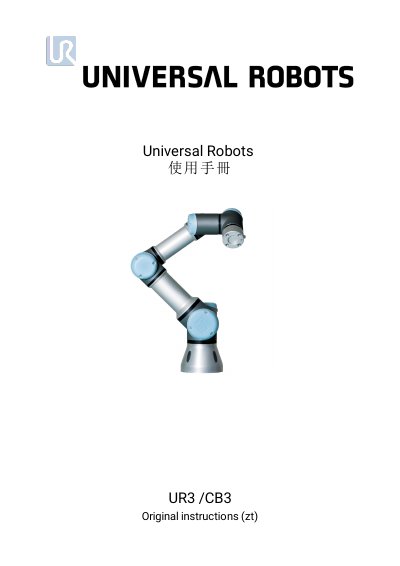
Universal Robots UR3 User Manual
This document is the user manual for the Universal Robots UR3 industrial robot. It is divided into two main parts: the Hardware Installation Manual and the PolyScope Manual. The Hardware Installation Manual provides instructions for mechanical and electrical installation, including safety warnings, transport, interface connections, and maintenance. The PolyScope Manual details the software interface used for programming the robot, covering screen editing, robot control, programming commands, and system settings. This manual is written in Chinese.
Read onlineUniversal Robots UR3 specifications
| Fuse type | 10 A fast‑acting miniature blade fuse |
|---|---|
| Fuse interrupt rating | 1000 A @ 32 VDC |
| Fuse rated voltage | 32 VDC |
Source: Universal Robots UR3e, UR5e, UR10e, UR16e Repair Manual
All Universal Robots UR3 documents by type
Day-to-day operation, settings and troubleshooting. Start here if the product is already set up.
Disassembly, diagnostics and part numbers, for repair.
Questions answered in these manuals
What is included in the robot package?
The package includes the mechanical arm, a control box with a teach pendant, mounting brackets, keys, a main cable, a laser pointer, and this manual.
How is the robot programmed?
The robot is programmed using the proprietary programming interface called PolyScope.
What type of fuse is used in the safety control board?
The safety control board uses a 10 A fast‑acting miniature blade fuse.
From: Universal Robots UR3e, UR5e, UR10e, UR16e Repair Manual
How should I handle components that are sensitive to electrostatic discharge?
Use an anti‑static wrist strap and keep components in anti‑static bags before handling, as described in the ESD handling section.
From: Universal Robots UR3e, UR5e, UR10e, UR16e Repair Manual