
Key facts
- Brand
- UNI-T
- Model
- UTL8200+ Series
- Documents
- 3
- Languages
- ZH · EN
- Last added
- 2026-11-13
Start here
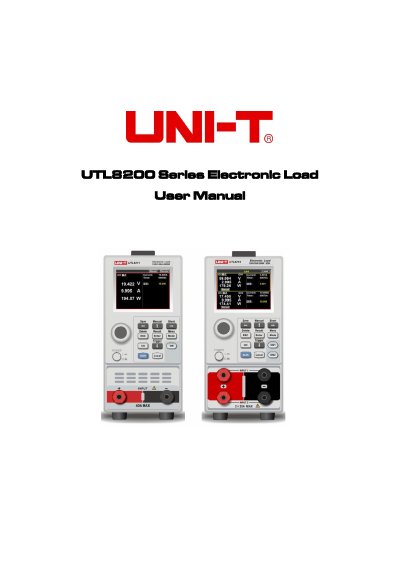
UNI-T UTL8200 Series Electronic Load User Manual
This manual provides instructions for safely operating and configuring the UNI-T UTL8200 series electronic load. It includes safety guidelines, warranty terms, product specifications, and detailed descriptions of measurement modes such as constant current, voltage, resistance, and power. The device supports dual-channel testing and features RS232 communication for automated systems. It also covers front and rear panel controls, display interfaces, and system configuration options.
The UTL8200 series includes two models: UTL8211 (single channel) and UTL8212 (dual channel), with voltage and current ranges up to 150V and 40A respectively. The device features a 2.8-inch LCD display, high measurement resolution (1mV/1mA), and dynamic test capabilities with a minimum rise time of 500us. It includes protection features against over-voltage, over-current, and over-heat, and supports both Chinese and English interfaces.
UNI-T UTL8200+ Series specifications
| Maximum power | 400W single channel or 200W x 2 dual channel |
|---|---|
| Input voltage | 0~150V |
| Input current | 0~40A or 0~20A per channel |
| Measurement resolution | 1mV / 1mA |
| Dynamic current | Up to 5kHz |
| Communication interface | RS232 |
| Protocol | SCPI |
All UNI-T UTL8200+ Series documents by type
Instruction set, parameters and examples for configuring or programming the device.
Day-to-day operation, settings and troubleshooting. Start here if the product is already set up.
Questions answered in these manuals
What communication interface does the UTL8200+ Series support?
It supports a standard RS232 interface using the SCPI protocol.
What operating modes does the electronic load support?
It supports CC, CV, CR, and CP basic operation modes.
What programming language does the UTL8200+ support?
The UTL8200+ supports SCPI (Standard Commands for Programmable Instruments) for programming.
From: UNI-T UTL8200+ Series DC Electronic Load Programming Manual
How do I set the current mode on the UTL8200+?
Use the command [SOURce:]FUNCtion <function> or [SOURce:]MODE <function> with 'CURRent' to set constant current mode.
From: UNI-T UTL8200+ Series DC Electronic Load Programming Manual
What are the two models in the UTL8200 series?
The UTL8200 series includes UTL8211 (single channel) and UTL8212 (dual channel).
What communication interface does the device support?
The device supports RS232 communication interface.