
Key facts
- Brand
- UNI-T
- Model
- UPO3000E Series
- Category
- Other Electronics
- Documents
- 2
- Languages
- EN
- Last added
- 2023-10-20
Start here
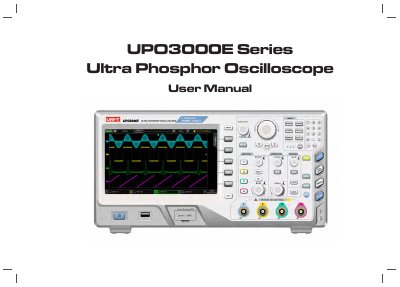
UNI-T UPO3000E Series Ultra Phosphor Oscilloscope User Manual
This manual covers the UNI-T UPO3000E Series Ultra Phosphor Oscilloscope, a multifunctional, high-performance instrument designed for various markets including communications, semiconductors, and automotive electronics. The series includes four specific models: UPO3152E, UPO3252E, UPO3154E, and UPO3254E.
Read onlineUNI-T UPO3000E Series specifications
| Analog bandwidth | 150MHz / 250MHz |
|---|---|
| Analog channels | 2-channel and 4-channel |
| Real-time sampling rate | up to 2.5GS/s |
| Standard memory depth | 70Mpts per channel |
| Waveform capture rate | up to 200,000wfms/s |
| Display | 8-inch WVGA (800×480) TFT LCD |
| Grayscale display | 256-level |
| Automatic measurement | 34 waveform parameters |
Source: UNI-T UPO3000E Series Ultra Phosphor Oscilloscope User Manual
All UNI-T UPO3000E Series documents by type
Day-to-day operation, settings and troubleshooting. Start here if the product is already set up.
Instruction set, parameters and examples for configuring or programming the device.
Questions answered in these manuals
Who is authorized to perform maintenance on the oscilloscope?
Only trained personnel or UNI-T authorized maintenance personnel can perform maintenance.
From: UNI-T UPO3000E Series Ultra Phosphor Oscilloscope User Manual
What is the warranty period for UNI-T products?
The warranty period is three years from the date of the original purchase.
From: UNI-T UPO3000E Series Ultra Phosphor Oscilloscope User Manual
What is the command format for querying the instrument's identification?
Use *IDN? to query manufacturer name, model, serial number, and software version.
From: UNI-T MSO/UPO3000E Series Programmable Digital Oscilloscope Programming Manual
How do I reset the oscilloscope to factory settings?
Use the *RST command to restore factory settings and clear error messages and buffers.
From: UNI-T MSO/UPO3000E Series Programmable Digital Oscilloscope Programming Manual