
Key facts
- Brand
- UNI-T
- Model
- UTG1000X Series
- Category
- Waveform Generators
- Documents
- 2
- Languages
- EN
- Last added
- 2023-10-20
Start here
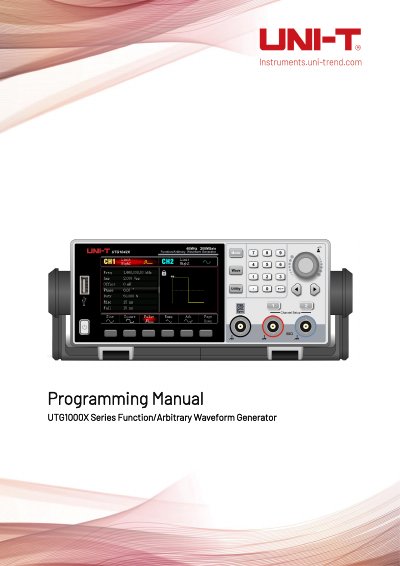
UNI-T UTG1000X Series Function/Arbitrary Waveform Generator Programming Manual
This manual details the SCPI programming interface for the UTG1000X series waveform generator, covering command syntax, symbols, parameters, and data return formats. It includes system commands for configuration, language, brightness, sleep mode, and frequency meter control. Commands are case-insensitive and follow IEEE 488.2 standards for data exchange.
Read onlineUNI-T UTG1000X Series specifications
| Software Version | 3.07.000 |
|---|---|
| Language Support | ENGLish|CHINese |
| Backlight Brightness Levels | 10|30|50|70|90|100 |
| Sleep Time Options | CLOSe| 1MIN | 5MIN | 15MIN | 30MIN | 60MIN |
Source: UNI-T UTG1000X Series Function/Arbitrary Waveform Generator Programming Manual
All UNI-T UTG1000X Series documents by type
Instruction set, parameters and examples for configuring or programming the device.
Disassembly, diagnostics and part numbers, for repair.
Questions answered in these manuals
What is the SCPI command syntax for querying the system language?
Use :SYSTem:LANGuage? to query the system language. Example: :SYSTem:LANGuage? returns ENGLish.
From: UNI-T UTG1000X Series Function/Arbitrary Waveform Generator Programming Manual
How do I set the backlight brightness to 30%
Use :SYSTem:BRIGhtness 30 to set the backlight brightness to 30%.
From: UNI-T UTG1000X Series Function/Arbitrary Waveform Generator Programming Manual
What is the UTG1000X Series instrument designed for?
It is designed for professional users and responsible institutions for measurement purposes.
From: UNI-T UTG1000X Series Function/Arbitrary Waveform Generator Service Manual
What voltage range should be confirmed for AC power use?
Confirm the regional voltage range for AC power use.
From: UNI-T UTG1000X Series Function/Arbitrary Waveform Generator Service Manual