
Key facts
- Brand
- Nokia
- Model
- E63
- Category
- Smartphones
- Industry
- Electronics
- Documents
- 8
- Languages
- EN · ZH
- Last added
- 2012-06-04
Start here
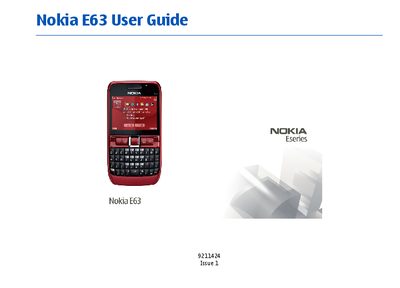
Nokia E63 User Guide
This guide introduces the Nokia E63 device, covering hardware components, SIM and battery installation, and basic navigation of the home screen and menus. It explains network services, email, messaging, multimedia, GPS, and internet connectivity, as well as personalization options such as profiles, themes, and ringtone settings.
Additional sections detail advanced features like Bluetooth, WLAN, VPN, security settings, Java applications, and data synchronization. The manual also includes regulatory notices, warranty disclaimer, and an index for quick reference to topics such as voice calls, video calls, multimedia messaging, and troubleshooting.
Nokia E63 specifications
| GSM Bands | 850 / 900 MHz |
|---|---|
| UMTS Bands | 900 / 2100 MHz |
| Wi‑Fi (WLAN) | Supported |
Source: Nokia E63 User Manual
All Nokia E63 documents by type
Day-to-day operation, settings and troubleshooting. Start here if the product is already set up.
- Nokia E63 User Guide 143 p
- Nokia E63 User Guide 156 p
- Nokia E63 User Guide 156 p
- Nokia E63 User Manual 141 p
- Nokia E63 User Manual 78 p
- Nokia E63 User Manual 88 p
- Nokia E63 User Manual 130 p
- Nokia E63 User Manual 130 p
Questions answered in these manuals
Which network bands does the Nokia E63 support?
The device is approved for use on GSM 850, 900, 1800, 1900 and UMTS 850/1900 networks.
From: Nokia E63 User Guide
Can the Nokia E63 be used while on an aircraft?
No, the device must be switched off in aircraft.
From: Nokia E63 User Guide
Is reverse engineering of the software on the Nokia E63 allowed?
No, reverse engineering of any software in the Nokia device is prohibited to the extent permitted by applicable law.
From: Nokia E63 User Guide
How do I set up Wi‑Fi on the Nokia E63?
The manual includes a section on WLAN where you can configure Wi‑Fi settings.
From: Nokia E63 User Manual
How do I restart the device if it stops responding?
Turn the phone off, remove the battery for about one minute, then reinstall the battery and turn the phone back on.
From: Nokia E63 User Manual
How can I update the phone’s software using a PC?
Install the Nokia Software Updater on a compatible PC, connect the phone with a USB data cable, and follow the updater’s instructions to install the latest software.
From: Nokia E63 User Manual