
Key facts
- Brand
- Mitsubishi Electric
- Model
- FX3U
- Industry
- Industrial
- Documents
- 3
- Languages
- ZH
- Last added
- 2026-10-18
Start here
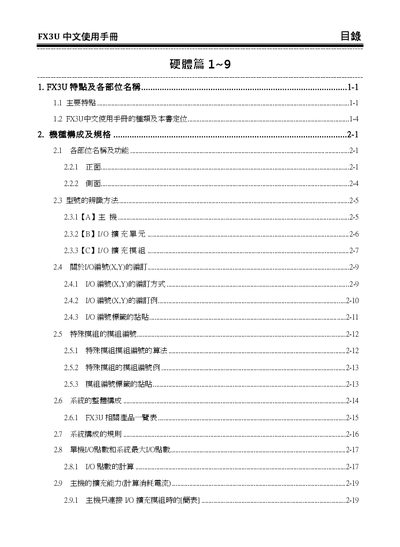
Mitsubishi Electric FX3U User Manual
This manual provides detailed information on the FX3U PLC series, including system configuration, power specifications, and wiring diagrams for both input and output modules. It also describes the use of special modules, battery maintenance, and the built‑in memory structure.
Additional sections cover programming fundamentals, instruction lists, and troubleshooting procedures, helping users to set up, operate, and maintain the controller safely and efficiently. This manual is written in Chinese.
Mitsubishi Electric FX3U specifications
| Input voltage | DC24V |
|---|---|
| Flash memory type | FLASH |
| Maximum memory size | 16K bits |
All Mitsubishi Electric FX3U documents by type
Day-to-day operation, settings and troubleshooting. Start here if the product is already set up.
How to use the product for one specific task, with worked examples.
Questions answered in these manuals
What is the default IP address for a Mitsubishi FX3U PLC if it has not been configured?
The factory default IP address is 192.168.1.254 with a subnet mask of 255.255.255.0.
From: Mitsubishi Electric FX3U Series PLC and GX IEC Developer Connection Guide
What are the default serial communication settings for a Mitsubishi FX3U PLC?
The default settings are 7-bit data, even parity, 1 stop bit, and a baud rate of 9600.
From: Mitsubishi Electric FX3U Series PLC and GX IEC Developer Connection Guide
What programming languages are available for the FX3U/3G series PLC?
The guide lists the types of programming languages supported for the series.
From: Mitsubishi Electric FX3U/3G Series PLC Application Guide
Can the fiber optic network positioning module be used independently?
No, the module cannot be used alone; it must be connected to the series.
From: Mitsubishi Electric FX3U/3G Series PLC Application Guide
What input voltage does the FX3U PLC use?
The FX3U PLC uses a DC24V supply for its I/O modules.
How can the watchdog timer be configured?
The watchdog timer can be set or modified through the PLC program.