
This manual provides installation, setup, and troubleshooting instructions for the Mercury D268G dual-band wireless router.
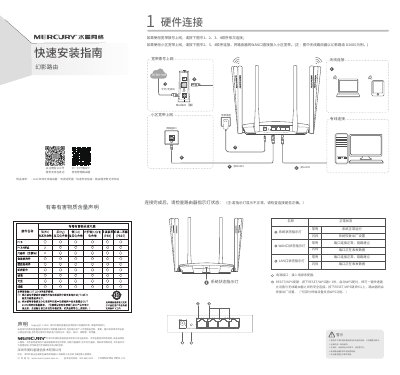
The document serves as a user guide for the Mercury D268G wireless router. It details hardware connection steps for both broadband dial-up and community broadband scenarios, including how to connect power and network cables. The manual also explains the function of indicator lights and the RESET/WPS button for establishing connections or resetting the device. This manual is written in Chinese.
Press and hold the RESET/WPS button for more than 3 seconds while the device is powered on.
Open a browser and visit melogin.cn, ensuring your computer is set to automatically obtain an IP address.
It enables online software updates, remote management of home networks, and access to new features.