
This document explains how to install, remove, and replace the battery, as well as how to charge it. It provides precautions for using LG-approved batteries and chargers.
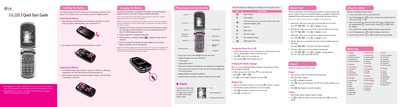
This Quick Start Guide introduces the LG 220C mobile phone, showing how to install and charge the Li‑ion battery, power the device, and understand the status icons on the 7‑line backlight LCD. It also covers basic safety notes such as using approved chargers and keeping the antenna clear.
The guide explains the menu‑driven interface, including how to view recent, missed, received and dialed calls, send text messages, use T9Word/ABC/123 input modes, and customize sounds and display settings. Additional sections cover security options, call settings, system information, and safety information for antenna use, pacemakers, and SAR limits.
| Battery type | Rechargeable Li‑ion |
|---|---|
| Display | 7‑line backlight LCD |
| Keypad | 22‑key |
| Full charge time | up to 4 hours |
A full charge requires up to 4 hours.
Press and hold the left soft key 7, then press the appropriate key to select T9Word, ABC or 123 mode.
Open the Recent Calls menu from the main screen to see the list of recent call entries.