
Key facts
Start here
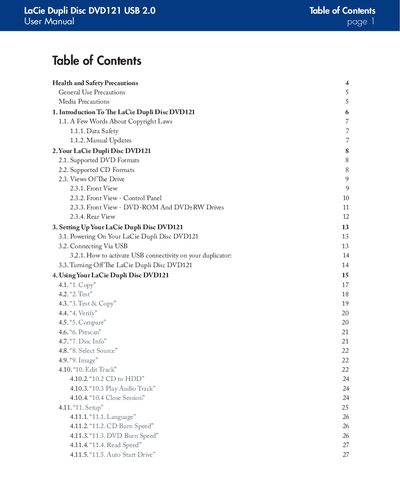
LaCie DVD121 USB 2.0 DVD Duplicator User Manual
The LaCie DVD121 is a USB‑2.0 DVD and CD duplicator equipped with two IDE DVD±RW drives, a built‑in power supply and a laser classified as Class I. It can copy a wide range of DVD and CD formats without requiring a computer, making it suitable for quick, stand‑alone duplication tasks.
The manual covers health and safety precautions, supported media formats, step‑by‑step setup via USB, detailed operation of each function, troubleshooting messages, and warranty information. It also includes emergency ejection instructions and contact details for technical support.
LaCie USB 2.0 specifications
| Capacity options | 1 TB, 1.5 TB, 2 TB |
|---|---|
| Interfaces | eSATA 3 Gb/s port, high‑speed USB 2.0 |
| eSATA maximum transfer rate | 115.125 MB/s |
| USB 2.0 maximum transfer rate | 480 Mbit/s (60 MB/s) |
| Spindle speed | 7200 rpm |
| Cache | 32 MB (2 × 16 MB) or higher |
| Dimensions | 1.7 × 6.8 × 10.6 in (44 × 173 × 272 mm) |
| Weight | 5.51 lb (2500 g) |
| Warranty | 1 year limited warranty |
Source: LACIE LaCie Big Disk Extreme+ eSATA 3Gbits I high-speed USB 2.0 Manual
All LaCie USB 2.0 documents by type
Day-to-day operation, settings and troubleshooting. Start here if the product is already set up.
- LACIE LaCie Big Disk Extreme+ eSATA 3Gbits I high-speed USB 2.0 Manual 4 p
- LaCie DVD121 USB 2.0 DVD Duplicator User Manual 40 p
- LACIE LaCie Little Big Disk Quadra eSATA 3Gbits FireWire 800 FireWire 400 USB 2.0 Manual 4 p
- LaCie Hard Disk Design by Neil Poulton User Manual 2 p
- LaCie Little Disk Hi-Speed USB 2.0 User Manual 23 p
- LACIE USB2.0 FireWire400 user manual 28 p
- LaCie USB 2.0 PCI Card User Manual 2 p
- LaCie USB 2.0 Mobile Hard Drive User Manual 25 p
Questions answered in these manuals
Does the Big Disk Extreme+ support RAID 0?
Yes, the drive has built‑in RAID 0 that provides high performance without any configuration.
From: LACIE LaCie Big Disk Extreme+ eSATA 3Gbits I high-speed USB 2.0 Manual
What is the warranty period for the LaCie Big Disk Extreme+?
The product comes with a one‑year limited warranty.
From: LACIE LaCie Big Disk Extreme+ eSATA 3Gbits I high-speed USB 2.0 Manual
What interface does the LaCie Hard Disk use?
It connects via USB 2.0, which is compatible with PCs and laptops that have USB 2.0 or USB 1.1 ports.
What are the minimum system requirements for using the drive?
A computer with a USB 2.0 (or USB 1.1) port, Windows 2000/XP/Vista or Mac OS X 10.3 or later, at least 32 MB RAM, and about 600 MB free disk space.
How do I connect the Little Disk to my computer?
Insert the USB connector into an available USB 2.0 port on the computer, optionally using an extension cable.
What should I do if the computer does not recognize the drive?
Check that the drive is formatted, verify the system meets the minimum requirements, ensure the USB cable is properly connected and that the drive receives sufficient power.