
Key facts
Start here
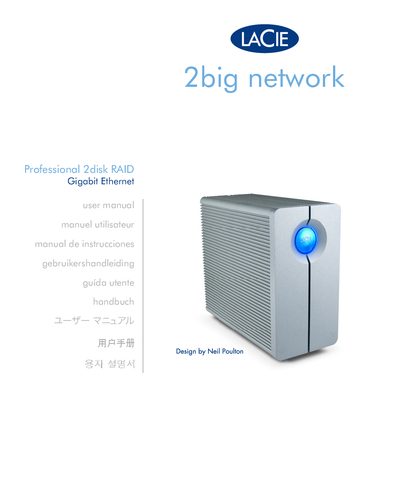
LaCie 2big Network User Manual
This manual introduces the LaCie 2big Network, a 2‑disk RAID NAS with Gigabit Ethernet connectivity. It covers hardware overview, power requirements, and safety information.
The guide walks through Ethernet setup on Windows using the LaCie Ethernet Agent, IP configuration on macOS with the LaCie IP Configurator Wizard, and RAID configuration options. It also details LED indicators, firmware updates, and provides contact information for support.
LaCie 2BIG specifications
| Power requirements | 100‑240 V~, 1.44 A, 50‑60 Hz |
|---|---|
| Operating temperature range | 0 °C to 35 °C (32 °F to 95 °F) |
| USB interface speed | SuperSpeed USB 3.0 up to 5 Gb/s, backward compatible to USB 2.0 up to 480 Mb/s |
| RAID modes supported | RAID 0 (FAST), RAID 1 (SAFE), JBOD |
| Altitude rating | Rated for up to 2000 m |
All LaCie 2BIG documents by type
Day-to-day operation, settings and troubleshooting. Start here if the product is already set up.
- LaCie 2big USB 3.0 External Hard Drive User Manual 37 p
- LaCie 2big Network User Manual 65 p
- LACIE LaCie 2big Network Manual
- LaCie 2big Triple User Manual 35 p
- LaCie 2big Quadra Design by neiL PouLton user manual
- LaCie 2big Dual User Manual 36 p
- LaCie 2big USB 3.0 User Manual 36 p
- LaCie 2big Network User Manual 61 p
How to use the product for one specific task, with worked examples.
Questions answered in these manuals
How do I change the RAID mode?
Use the RAID selection switch on the front of the unit; see section 3.2 Changing the RAID Mode for detailed steps.
What are the power requirements for the LaCie 2big USB 3.0?
The device requires 100‑240 V~, 1.44 A, 50‑60 Hz power.
How can I change the RAID mode on the LaCie 2big Triple?
Use the RAID configuration section (3.2) in the manual to select a different RAID mode such as FAST, BIG, JBOD, or SAFE 100.
What are the power requirements for the LaCie 2big Triple?
The device requires 100‑240 V~, 1.5 A at 50‑60 Hz.
What RAID mode options does the LaCie 2big Dual support?
It supports six RAID configurations: FAST, BIG, JBOD, SAFE 100, SAFE 50 and SAFE 33.
How do I format the drive on a Windows computer?
Use the Windows formatting procedure described in section 2.3.2 of the manual.