
Key facts
- Brand
- K&T
- Model
- KT-LCD3
- Category
- Other
- Industry
- Automotive
- Documents
- 9
- Languages
- EN
- Last added
- 2026-10-24
Start here
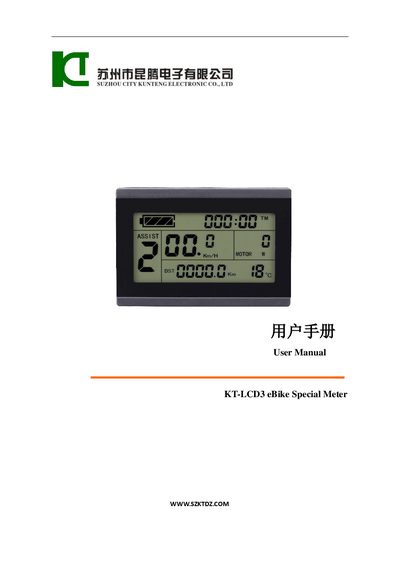
KT LCD3 eBike Special Meter User Manual
This manual explains how to install the KT LCD3 meter on an electric bicycle, including wiring, handlebar mounting, and physical dimensions. It also describes the main material, color options, and the wiring schematic needed for proper connection.
The guide details the meter’s functions, display contents, button definitions, and how to configure parameters such as power‑assist ratio, throttle settings, and cruise function. It includes procedures for copying parameters to another meter, resetting to factory defaults, and troubleshooting error codes.
KT-LCD3 specifications
| Supply Voltage | 24V, 36V, 48V |
|---|---|
| Handlebar Diameter Support | 31.8mm, 22.2mm |
| Material | PC material |
| Housing Color | dark gray or white |
| Version | V 2.0 |
All KT-LCD3 documents by type
Day-to-day operation, settings and troubleshooting. Start here if the product is already set up.
- KT KT-LCD3 eBike Special Meter User Manual 38 p
- KT KT-LCD3 eBike Special Meter User Manual 39 p
- KT KT-LCD3 eBike Special Meter User Manual 39 p
- KT KT-LCD3 eBike Special Meter User Manual 39 p
- KT KT-LCD3 eBike Special Meter User Manual 40 p
- KT KT-LCD3 eBike Special Meter User Manual 39 p
- KT KT-LCD3 eBike Special Meter User Manual 37 p
- KT LCD3 eBike Special Meter User Manual 36 p
- KT LCD3 eBike Special Meter User Manual 41 p
Questions answered in these manuals
How do I turn the meter on and off?
Hold the SW button long to power on the meter and hold it long again to power off.
Can I copy parameters from one meter to another?
Yes, but both meters must be the same model, and C9 power-on password and C11 meter attributes cannot be copied.
How do I turn the meter on and off?
Hold the button (SW) long to power on the meter and provide supply to the controller. Hold the button (SW) long again to power off.
Can the meter identify different battery voltages?
Yes, the meter can automatically identify and be compatible with 24V, 36V, and 48V supply voltages.
Can I copy settings from one meter to another?
Yes, you can use special wiring cables to copy parameters. However, C9 power-on password and C11 meter attributes cannot be copied.
What handlebar diameters are supported for installation?
The meter supports installation on handlebars with diameters of 31.8 mm or 22.2 mm.