
Key facts
- Brand
- K&T
- Model
- KT-LCD 8S
- Category
- Vehicle Accessories
- Industry
- Automotive
- Documents
- 4
- Languages
- EN
- Last added
- 2026-10-12
Start here
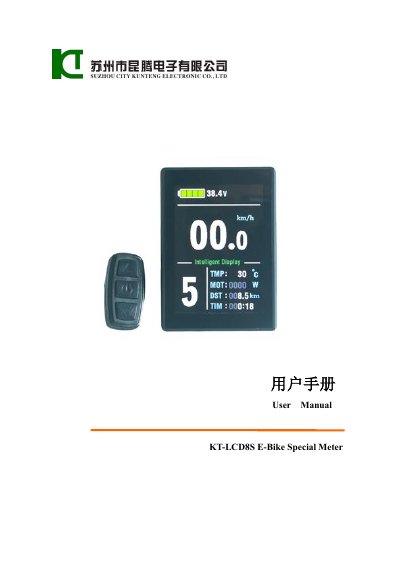
KT KT-LCD 8S E-Bike Special Meter User Manual
The KT KT-LCD 8S is an electric bicycle meter designed to display trip data, vehicle status, and motor information. It features a digital interface for real-time speed, distance, battery capacity, motor power, and temperature monitoring. The device supports automatic identification of 24V, 36V, and 48V supply voltages.
Read onlineKT-LCD 8S specifications
| Supply Voltage | 24V, 36V, 48V |
|---|---|
| Material | PC material |
| Color | Black |
| Firmware Version | V3.0 |
All KT-LCD 8S documents by type
Day-to-day operation, settings and troubleshooting. Start here if the product is already set up.
Questions answered in these manuals
How does the meter automatically shut down?
The meter will automatically shut down and power off the controller if there is no button operation for five minutes while the vehicle is stopped.
What happens if no operation occurs during parameter setting?
If there is no button operation for more than one minute, the meter returns to Display 1 and the new parameters are not saved.
How can I copy parameters to another KT‑LCD 8S meter?
After powering the source meter, hold the button long to start, then within 5 seconds hold the UP and DOWN buttons together for about 2 seconds; the copy process completes and the target meter shows a confirmation.
How do I adjust the automatic shutdown delay of the LCD?
Set the L4 parameter to the desired number of minutes (range 5‑120); the default is 5 minutes.
What supply voltages does the meter support?
The meter automatically identifies and is compatible with 24V, 36V, and 48V supply voltages.
How do I restore the meter to factory settings?
You can restore the meter parameters by using the 'C10 automatically restore factory setting' approach.