
Key facts
- Brand
- GlobalSat
- Model
- LT-10
- Documents
- 8
- Languages
- EN
- Last added
- 2026-10-24
Start here
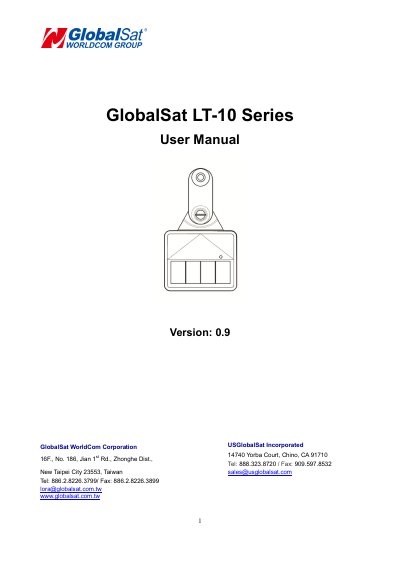
GlobalSat LT-10 Series User Manual
The GlobalSat LT-10 is a solar-powered LoRaWAN tracker designed for livestock tracking. It features a rechargeable battery and integrated solar panel for continuous operation. The device can be controlled via a magnet for power on/off and hardware reset, and configured using an Android or iOS app for BLE pairing and parameter adjustments. It includes LED indicators for status and supports firmware updates through the app. Safety and warranty information are provided for responsible use and limited liability coverage.
The manual covers device charging, switching modes, BLE pairing, parameter settings, firmware upgrades, and safety precautions. It also includes warranty terms, exclusions, and legal disclaimers for hardware defects and usage-related damages.
GlobalSat LT-10 specifications
| LoRa Frequency | 902~928MHz |
|---|---|
| Internal Flash Memory | 256K bytes |
| External Flash Memory | 32Mb ytes |
| Battery Capacity | 820mAh |
| Operating Temperature (with Battery) | -20 ~ 60℃ |
| Waterproof Rating | IPX7 Protected |
Source: GLOBALSAT LT-100H LoRaWAN Tracker Specifications Sheet
All GlobalSat LT-10 documents by type
Day-to-day operation, settings and troubleshooting. Start here if the product is already set up.
- GlobalSat LT-10 Series User Manual 21 p
- GlobalSat LT-10 Solar LoRaWAN Tracker User Manual 21 p
- GlobalSat LT-100 Series User Manual 17 p
- GlobalSat LT-100 Series User Manual 16 p
- GlobalSat LT-100 Series User Manual 16 p
- GlobalSat LT-100 Series Asset Tracker User Manual 17 p
- GlobalSat LT-100 Series User Manual 17 p
Questions answered in these manuals
What is the GLOBALSAT LT-100H tracker designed for?
It is designed for asset tracking, pet tracking, and personal monitoring of children and elderly.
From: GLOBALSAT LT-100H LoRaWAN Tracker Specifications Sheet
How long does the battery last when reporting every 0.5 hours?
The battery allows up to 5 Weeks of usage without charging.
From: GLOBALSAT LT-100H LoRaWAN Tracker Specifications Sheet
How do I turn the LT-10 device on?
Place a magnet under the device’s LED for 4 seconds; it will blink red 3 times (100ms on, 100ms off).
What does the LED blinking pattern indicate?
Red blinking twice (100ms on, 100ms off) means the device is searching for the app; blinking once per second means it’s connected to the app.
How do I charge the LT-10?
Place the device under sunshine with it turned on. It takes half a day to several days to charge to at least 90% depending on sunlight conditions.
How do I connect the LT-10 to my phone?
Turn on BLE on your phone, open the LT-10 app, and place a magnet under the device’s LED for 2 seconds until the red LED blinks twice, then move the magnet away.