
Key facts
- Brand
- Elo Touch Solutions
- Model
- 4201L
- Documents
- 2
- Languages
- EN
- Last added
- 2026-09-29
Start here
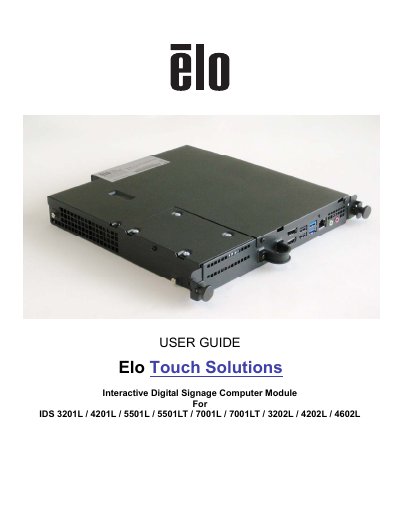
Elo Touch Solutions IDS Computer Module User Guide
The document provides instructions for unpacking the Elo Touch Solutions Interactive Digital Signage Computer Module (Generation 2 Refresh) designed to slide into the bay on the rear of compatible touchmonitors. It details how to install the module, connect power and cables, and secure it within the unit.
The guide also covers operating system setup for Windows 7, including region selection, computer naming, password creation, and license agreement acceptance. Additionally, it includes procedures for data recovery and reformatting the hard drive if necessary.
Elo Touch Solutions 4201L specifications
| Maximum supported monitor weight | 58 lb (26 kg) |
|---|---|
| Minimum pullout strength rating for masonry anchors | 1500 lb |
| Fastener type for wood stud walls | 1/4" × 2‑1/2" flat‑head wood screws, zinc plated steel, Grade 5 |
| Number of M3‑6 mm screws included | 4 |
Source: Elo Touch Solutions 3201L and 4201L IDS Touchmonitors Wallmounting Kit Installation Guide
All Elo Touch Solutions 4201L documents by type
Mounting, wiring and first power-up. Read it before the hardware goes in.
Day-to-day operation, settings and troubleshooting. Start here if the product is already set up.
Questions answered in these manuals
How many screws are provided for wood stud wall installation?
Four M3‑6 mm screws are included, plus eight 1/4" × 2‑1/2" flat‑head wood screws for the brackets.
From: Elo Touch Solutions 3201L and 4201L IDS Touchmonitors Wallmounting Kit Installation Guide
Can the kit be used to mount the monitor in portrait orientation?
Yes, but the kick‑stand brackets must not be used with the 4201L model when mounting in portrait orientation.
From: Elo Touch Solutions 3201L and 4201L IDS Touchmonitors Wallmounting Kit Installation Guide
What is the purpose of this Computer Module?
It turns an Interactive Digital Signage TouchMonitor into an Interactive Digital Signage All-In-One TouchComputer.
How long does the initial operating system setup take?
The initial setup of the operating system takes approximately 5 minutes.