
Key facts
- Brand
- Elo Touch Solutions
- Model
- 4243L IDS
- Category
- Monitors
- Documents
- 2
- Languages
- ZH
- Last added
- 2026-10-16
Start here
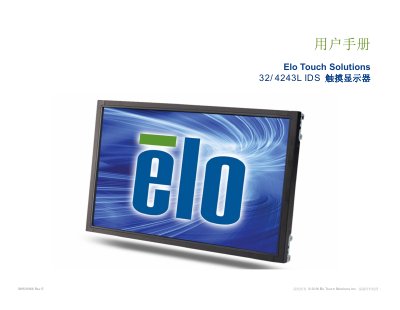
Elo Touch Solutions 32/4243L IDS Touch Monitor User Manual
This user manual provides comprehensive instructions for the Elo Touch Solutions 32/4243L IDS series touch monitors. It details the setup process, including unpacking, connecting video and power cables, and installing drivers for Windows 7 and 8 operating systems. The guide explains how to use the On-Screen Display (OSD) controller for adjusting settings like brightness and contrast. This manual is written in Chinese.
Read onlineElo Touch Solutions 4243L IDS specifications
| Resolution | 1920x1080 |
|---|---|
| Input Voltage | 100 - 240VAC |
| Frequency | 50/60Hz |
| Operating Temperature | 0°C - 40°C |
| Humidity (Operating) | 20% to 80% |
Source: Elo Touch Solutions 32/4243L IDS Touch Monitor User Manual
All Elo Touch Solutions 4243L IDS documents by type
Day-to-day operation, settings and troubleshooting. Start here if the product is already set up.
Questions answered in these manuals
Do I need to install drivers for Windows 7 and 8?
No, the projector capacitive touch monitor does not require additional drivers as it uses the Windows HID driver.
From: Elo Touch Solutions 32/4243L IDS Touch Monitor User Manual
How do I adjust the display settings?
You can adjust various display parameters using the four buttons on the On-Screen Display (OSD) controller.
From: Elo Touch Solutions 32/4243L IDS Touch Monitor User Manual
Does the Elo Touch Solutions 32/4243L IDS require additional drivers for Windows 7 and 8?
No, the projected capacitive touch display does not require additional drivers for Windows 7 and 8; it uses the Windows HID driver.
From: Elo Touch Solutions 32/4243L IDS Touch Display User Manual
Where can I find the latest touch drivers for my Elo Touch Solutions display?
You can download the latest touch drivers by visiting www.elotouch.com/Support/Downloads/Driver/DriverDownload/Default.aspx.
From: Elo Touch Solutions 32/4243L IDS Touch Display User Manual