
Key facts
Start here
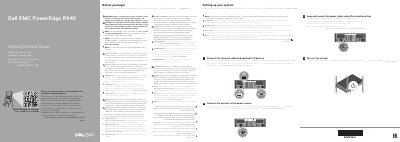
Dell EMC PowerEdge R940 Getting Started Guide
This guide is for the Dell EMC PowerEdge R940 server. It provides setup steps and safety, power, operating system, and rack-installation notes.
The setup steps are to connect the network cable and optional I/O devices, connect the system to the power source, loop and secure the power cable using the retention strap, and turn on the system.
Dell EMC PowerEdge R940 specifications
| Reference architecture capacity | 200TB |
|---|---|
| Servers | Dell EMC PowerEdge R940 (14th generation) |
| Storage arrays | 2 x Dell EMC SC9000 |
| Additional storage | 2 x Dell Storage SC420 |
| Host bus adapter | QLogic QLE2662 16Gbps |
| SAN switch | Brocade 6505 |
| Operating system | Windows Server 2016 |
| Database software | Microsoft SQL Server 2017 Enterprise Edition |
| Column-store compression | Up to 10X compression in data size |
All Dell EMC PowerEdge R940 documents by type
The shortest path to a working setup, usually only a few pages.
Day-to-day operation, settings and troubleshooting. Start here if the product is already set up.
Questions answered in these manuals
What hardware is used in this 200TB data warehouse reference architecture?
It uses Dell EMC PowerEdge R940 servers together with Dell EMC SC9000 storage arrays, plus two Dell Storage SC420 systems in the single-server figure.
Who is the target audience for this reference architecture paper?
Database administrators, business intelligence architects, storage administrators, IT directors and data warehousing users seeking sizing and design guidance for SQL Server 2017 business intelligence solutions.
What is the 385TB configuration built from?
It uses Dell EMC PowerEdge R940 servers and Dell EMC SC9000 arrays.
How much memory does the single-server reference architecture have?
The total memory is 3072GB.
What must be done before setting up the system?
Follow the safety instructions included in the Safety, Environmental, and Regulatory Information document shipped with the system.
What power supplies are required?
Use Extended Power Performance (EPP) compliant power supply units (PSUs), indicated by the EPP label.