
Key facts
- Brand
- Dell EMC
- Model
- PowerEdge R340
- Category
- Servers Computer
- Documents
- 6
- Languages
- FR · EN
- Last added
- 2023-11-25
Start here
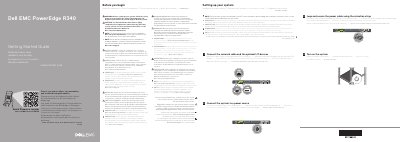
Dell EMC PowerEdge R340 Server Getting Started Guide
The Dell EMC PowerEdge R340 Getting Started Guide provides essential instructions for the initial deployment of the server. It emphasizes safety precautions and the use of compliant power supply units.
The document outlines the basic steps to get the system operational, including connecting network cables, powering the device, and turning on the system.
Dell EMC PowerEdge R340 specifications
| Processor support | Intel Xeon E-2200 and E-2100 families; Intel Core i3-9100 and i3-8100; Intel Pentium G5420 and G5500; Intel Celeron G4930 and G4900 |
|---|---|
| DIMM sockets | Four 288-pin DIMM sockets at 2666 MT/s |
| Power supply units | Two AC power supply units |
| Power supply options | 350 W AC Platinum redundant and 550 W AC Platinum |
| Drive configurations | Up to eight 2.5-inch hot-swappable SAS/SATA/SSD drives or four 3.5-inch hot-swappable drives |
| Chassis height | 42.8 mm (1.68 in) |
| Maximum system weight | 12 kg (26.5 lb) for the 8 x 2.5-inch configuration |
| Expansion slots | Up to two 3rd generation PCIe cards |
| System battery | CR 2032 lithium coin cell (3 V) |
| USB ports | Two USB 3.0 ports on the rear panel |
| Dedicated management port | iDRAC9 dedicated network port |
Source: Dell EMC PowerEdge R340 Server Technical Specifications Guide
All Dell EMC PowerEdge R340 documents by type
The shortest path to a working setup, usually only a few pages.
Questions answered in these manuals
What processors does the PowerEdge R340 support?
The document lists Intel Xeon E-2200 and E-2100 families, Intel Core i3-9100/i3-8100, Intel Pentium G5420/G5500, and Intel Celeron G4930/G4900 processors.
From: Dell EMC PowerEdge R340 Server Technical Specifications Guide
How many memory sockets are available?
There are four 288-pin DIMM sockets, listed at 2666 MT/s.
From: Dell EMC PowerEdge R340 Server Technical Specifications Guide
What type of power supply units should be used with the PowerEdge R340?
You should use Extended Power Performance (EPP) compliant power supply units, which are identified by an EPP label.
When should the operating system be installed?
The operating system must be installed before any hardware or software not purchased with the system is installed.
Where can I find the documentation set for the system?
It is available at Dell.com/poweredgemanuals.
What must be installed before adding hardware or software not purchased with the system?
The operating system must be installed first.