
Key facts
- Brand
- Dell EMC
- Model
- PowerEdge R840
- Category
- Servers Computer
- Documents
- 4
- Languages
- ZH · EN
- Last added
- 2026-10-25
Start here
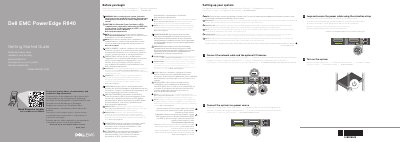
Dell EMC PowerEdge R840 Server Getting Started Guide
This multilingual Getting Started Guide and Quick Resource Locator for the Dell EMC PowerEdge R840 server points users to how-to videos, documentation, and troubleshooting information at Dell.com/QRL/Server/PER840, with the full documentation set at Dell.com/poweredgemanuals.
It provides basic setup steps: connect the network cable and optional I/O devices, connect the system to a power source, loop and secure the power cable with the retention strap, and turn on the system. Notes cover safety instructions, EPP-compliant power supplies, rack installation, and installing the operating system before adding hardware or software.
Dell EMC PowerEdge R840 specifications
| Processors | Up to four Intel Xeon Scalable processors, up to 28 cores each |
|---|---|
| Memory Slots | 48 DDR4 DIMM slots |
| NVDIMM Support | Up to 12 NVDIMMs, up to 384GB |
| Internal Storage Controllers | PERC H730P, H740P, H330 |
| External RAID Controller | PERC H840 12Gbps SAS |
| Front Drive Bays | Up to 8 or 24 2.5-inch HDD/SSD/NVMe |
| Rear Drive Bays | Up to 2 2.5-inch HDD/SSD |
| Power Supply Options | Platinum: 750W, 1100W, 1600W, 2000W, 2400W; Titanium: 750W DC |
| Chassis Depth | 812 mm |
All Dell EMC PowerEdge R840 documents by type
The shortest path to a working setup, usually only a few pages.
Day-to-day operation, settings and troubleshooting. Start here if the product is already set up.
Questions answered in these manuals
What is the maximum number of cores supported by the R840?
The server supports up to four Intel Xeon Scalable processors with a total of 112 cores.
What is the maximum number of cores supported by the processors in this server?
The system supports up to four Intel Xeon Scalable processors, with each processor having up to 28 cores.
Where is the system documentation set available?
It is available at Dell.com/poweredgemanuals, and users should check it for the latest updates.
What must be installed before adding hardware or software not purchased with the system?
The operating system must be installed first.
Where is the documentation set for the system available?
It is available at Dell.com/poweredgemanuals.
What should be done before installing hardware or software not purchased with the system?
Ensure that the operating system is installed first.