
Key facts
- Brand
- Dell EMC
- Model
- C6400
- Category
- Servers Computer
- Documents
- 5
- Languages
- ZH · EN
- Last added
- 2026-10-15
Start here
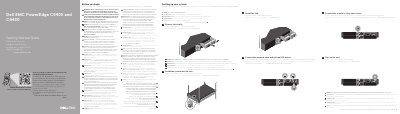
Dell EMC PowerEdge C6400 and C6420 Getting Started Guide
This document serves as a Getting Started Guide for the Dell EMC PowerEdge C6400 and C6420 server systems. It provides initial setup instructions in multiple languages, including English, French, German, Russian, Spanish, and Hebrew. The guide directs users to the Safety, Environmental, and Regulatory Information document for safety instructions and recommends using Extended Power Performance (EPP) compliant power supply units.
Read onlineDell EMC C6400 specifications
| Maximum Width | 482.6 mm (19 inches) |
|---|---|
| Maximum Height | 797.3 mm (31.38 inches) |
| Maximum Weight (12 x 3.5 inch HDD) | 43.62 kg (96.16 lbs) |
| Maximum Weight (24 x 2.5 inch HDD) | 41.46 kg (91.40 lbs) |
| Maximum Weight (No Backplane) | 34.56 kg (76.19 lbs) |
| Supported Operating Systems | Ubuntu LTS, XenServer, Windows Server, RHEL, SUSE Linux, ESXi |
| PSU Cooling (Max) | 9000 BTU/hour |
| PSU Input Voltage | 100–240 V AC |
| Maximum Drive Count (3.5 inch) | 12 drives |
| Maximum Drive Count (2.5 inch) | 24 drives |
| Standard Operating Temperature | 10°C–35°C (50°F –95°F) |
| Maximum Altitude | 3048 m (10,000 ft) |
Source: Dell EMC PowerEdge C6400 Storage Module Technical Specifications
All Dell EMC C6400 documents by type
Disassembly, diagnostics and part numbers, for repair.
Day-to-day operation, settings and troubleshooting. Start here if the product is already set up.
Ratings, dimensions and ordering codes, for selection and design work.
Questions answered in these manuals
What is the maximum number of 2.5-inch SAS or SATA drives supported by the PowerEdge C6400?
The system supports up to 24 x 2.5-inch SAS or SATA drives.
From: Dell EMC PowerEdge C6400 Installation and Service Manual
How many 3.5-inch SAS or SATA drives can the PowerEdge C6400 support?
The system supports up to 12 x 3.5-inch SAS or SATA drives.
From: Dell EMC PowerEdge C6400 Installation and Service Manual
What is required before installing hardware or software not purchased with the system?
You must ensure that the operating system is installed before installing any additional hardware or software.
From: Dell EMC PowerEdge C6400 and C6420 Getting Started Guide
What type of power supply units should be used on the system?
You must use Extended Power Performance (EPP) compliant power supply units indicated by the EPP label.
From: Dell EMC PowerEdge C6400 and C6420 Getting Started Guide
What is the maximum weight of the PowerEdge C6400 with 24 x 2.5 inch drives?
The maximum weight is 41.46 kg (91.40 lbs) including all bases and drives.
From: Dell EMC PowerEdge C6400 Storage Module Technical Specifications
Which operating systems are supported by the PowerEdge C6400?
It supports Canonical Ubuntu LTS, Citrix XenServer, Microsoft Windows Server with Hyper-V, Red Hat Enterprise Linux, SUSE Linux Enterprise Server, and VMWare ESXi.
From: Dell EMC PowerEdge C6400 Storage Module Technical Specifications