
Key facts
- Brand
- BenQ
- Model
- E53
- Category
- Digital cameras
- Industry
- Electronics
- Documents
- 3
- Languages
- ZH · EN
- Last added
- 2012-03-27
Start here
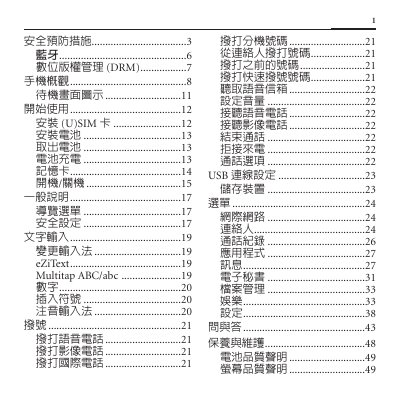
BenQ E53 Phone User Manual
The BenQ E53 user manual provides detailed safety precautions, including keeping the phone at least 20 cm away from pacemakers and avoiding high‑volume headphone use. It also explains Bluetooth setup, default device name, and how to manage connections securely.
Instructions cover SIM and battery installation, power management, call and messaging functions, USB connectivity, and a comprehensive FAQ section. The final pages list technical specifications, warranty information, and regulatory notices. This manual is written in Chinese.
BenQ E53 specifications
| Model | E53 |
|---|---|
| Rated Voltage / Frequency | 3.7 V, GSM 900 MHz, DCS 1800 MHz, PCS 1900 MHz, WCDMA 2100 MHz |
| Maximum Transmit Power | GSM 2 W, DCS 1 W, PCS 1 W, WCDMA 0.25 W |
Source: BenQ E53 Phone User Manual
All BenQ E53 documents by type
Day-to-day operation, settings and troubleshooting. Start here if the product is already set up.
Questions answered in these manuals
What is the default Bluetooth device name?
The factory default Bluetooth name is "E53".
How far should the phone be kept from a pacemaker?
Keep the phone at least 20 cm (9 inches) away from a pacemaker.
What type of USB connection does the DC E53+ use?
The camera uses a USB 2.0 interface for data transfer.
What is the maximum image resolution of the DC E53+?
The camera can capture images up to 2560 × 1920 pixels.
How do I install the battery?
Turn off the camera, open the side battery/SD‑card compartment, insert the battery with the correct polarity, and close the compartment. To remove, open the compartment and press the battery release switch.