
Quick guide for the Videx 6758 colour hands-free videophone: calls, door opening, privacy, camera recall and adjustments.
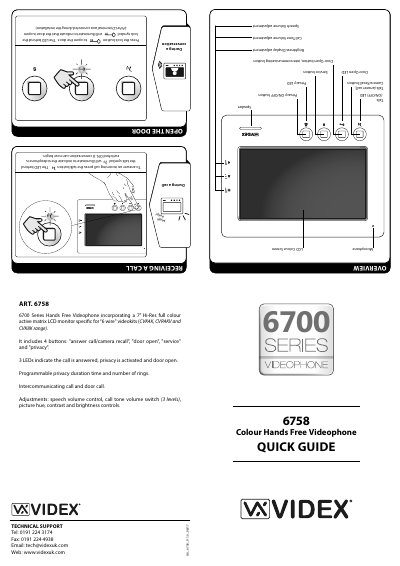
Videx 6758 is a colour hands-free videophone in the 6700 Series, with a 7-inch Hi-Res full colour active matrix LCD monitor for 6-wire videokits (CVK4K, CVR4KV and CVK8K range). It has four buttons for answer call/camera recall, door open, service and privacy, plus three LEDs for call answered, privacy activated and door open.
The guide covers receiving calls, opening the door, privacy, camera recall, service button use and adjustments for call tone volume, brightness and speech volume. Privacy duration time and number of rings are programmable, and picture hue, contrast and brightness controls are provided.
| Display | 7-inch Hi-Res full colour active matrix LCD monitor |
|---|---|
| Buttons | 4: answer call/camera recall, door open, service, privacy |
| Indicators | 3 LEDs: call answered, privacy activated, door open |
| Compatible videokits | CVK4K, CVR4KV and CVK8K range |
| Wiring | 6-wire videokits |
| Call tone volume | 3 levels (low, medium, high) |
| Picture controls | Hue, contrast and brightness |
| Privacy | Programmable duration time and number of rings |
| Service button | Activates secondary service if set up during installation |
| Door open LED | Illuminates if LD terminal connected during installation |
Press the talk button.
Press the lock button.
Press the privacy button; the red LED illuminates.
Press the talk (camera recall) button as many times as the door panel ID.