
Key facts
- Manuals
- 2
- Languages
- ZH
- Last added
- 2026-09-30
Featured Videx manuals
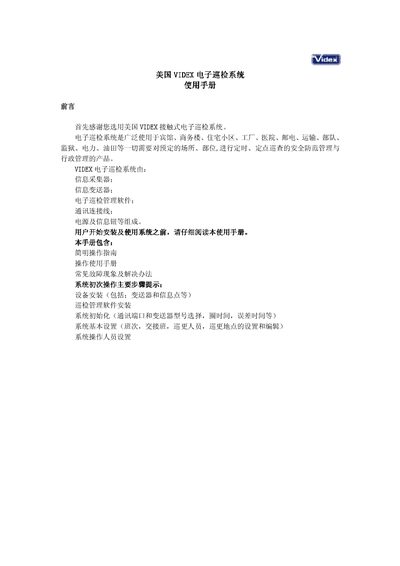
VIDEX GREAT-7700B Electronic Inspection System User Manual
This manual describes the components of the VIDEX GREAT-7700B electronic inspection system, including the information collector, information transmitter, management software, communication cable and power supply. It guides users through hardware installation, software setup, system initialization and basic configuration such as shift schedules, hand‑over points and patrol points.
Detailed procedures cover software login (default admin/admin), communication settings, data collection, analysis, backup and recovery, as well as common hardware and software fault troubleshooting. Battery replacement for the handheld collector and connection of RJ‑11/RS‑232 cables are also explained. This manual is written in Chinese.
Covers: 前言 · 设备安装 · 中心设备硬件连接 · 软件安装 · 系统基本设置 · 系统人员设置
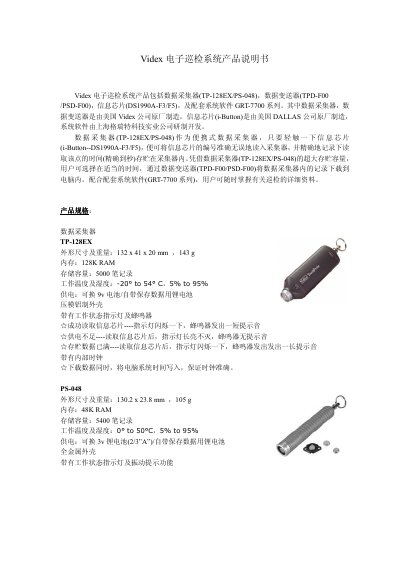
Videx TPz128EX/PSz048 Electronic Inspection System User Manual
The Videx electronic inspection system consists of a portable data collector (TPz128EX/PSz048), a data transmitter (TPD-F00/PSD-F00), an iButton info chip (DS1990A-F3/F5) and the GRT‑7700 series system software. The collector reads the chip number with a single touch and records the time, while the transmitter transfers the stored records to a PC via RS‑232.
The manual provides detailed specifications for each component, including dimensions, memory, storage capacity, operating temperature, power options and software requirements, enabling users to set up, operate and maintain the inspection system effectively. This manual is written in Chinese.
Covers: Product Overview · Data Collector (TPz128EX/PSz048) · Data Transmitter (TPD-F00/PSD-F00) · Info Chip (DS1990A-F3/F5) · System Software (GRT‑7700 series) · Specifications
Latest Videx manuals
VIDEX GREAT-7700B Electronic Inspection System User Manual
User Manual 11 pages · 253 KB · ZHThe VIDEX GREAT-7700B electronic inspection system user manual provides installation, configuration, operation and troubleshooting instructions.
Videx TPz128EX/PSz048 Electronic Inspection System User Manual
User Manual 2 pages · 126 KB · ZHThe Videx TPz128EX/PSz048 electronic inspection system manual describes the data collector, transmitter, info chip and software features and specifications.
Which document do I need?
User Manual
Day-to-day operation, settings and troubleshooting. Start here if the product is already set up.
Questions answered in Videx manuals
What are the default login credentials for the software?
The default username is admin and the default password is admin.
From: VIDEX GREAT-7700B Electronic Inspection System User Manual
How do I replace the battery in a TouchProbe info collector?
Open the back cover with the supplied hex wrench and replace the 9 V battery.
From: VIDEX GREAT-7700B Electronic Inspection System User Manual
How does the data collector read an information chip?
Touching the iButton info chip (DS1990A‑F3/F5) once allows the collector to read the chip’s number and record the time accurately to the second.
From: Videx TPz128EX/PSz048 Electronic Inspection System User Manual
How can recorded data be transferred to a computer?
The stored records can be downloaded to a PC using the data transmitter (TPD‑F00/PSD‑F00) via an RS‑232 connection at 19.2 kbps.
From: Videx TPz128EX/PSz048 Electronic Inspection System User Manual