
This quick guide covers the operation and settings of the Videx 3102 Series 3000 audiophone, including call handling, volume adjustment, and privacy switch…
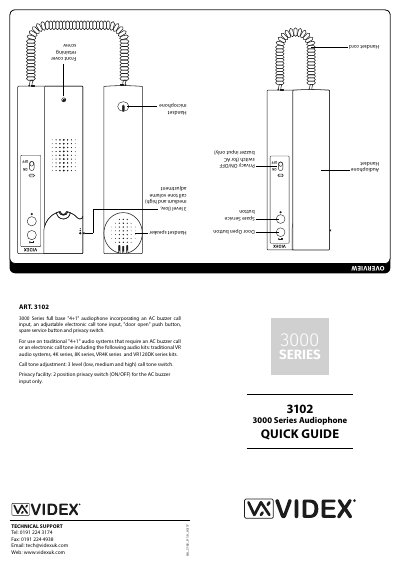
The Videx 3102 Series 3000 audiophone is a full base "4+1" unit designed for traditional audio systems. It features an AC buzzer call input, an adjustable electronic call tone input, a "door open" push button, a spare service button, and a privacy switch. The device is compatible with various audio kits including traditional VR audio systems, 4K series, 8K series, VR4K series, and VR120DK series kits.
| Call tone levels | 3 level (low, medium and high) |
|---|---|
| Privacy switch positions | 2 position (ON/OFF) |
| Compatible systems | Traditional "4+1" audio systems |
Move the volume switch to the lower position for low, middle for medium, and upper for high volume.
The privacy switch turns the phone OFF for the AC buzzer input only when moved to the OFF position.