
Quick start guide for setting up, charging and using the Sony Walkman NWZ‑W273S/W274S digital audio player.
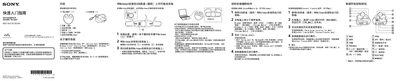
The guide walks you through the package contents, how to install the Walkman onto the supplied USB base, connect it to a Windows or Mac computer, and install the WALKMAN Guide and Media Go software. It also explains basic operation such as power on/off, playback controls, and how to adjust the neck strap and earphones.
Additional sections cover charging procedures, battery specifications, troubleshooting steps when the device is not recognized, safety warnings for ear‑phone use, volume‑level alerts, and warranty information. This manual is written in Chinese.
| Rated current | 800 mA |
|---|---|
| Charging time | ≈1.5 hours |
Make sure the Walkman is correctly and firmly installed in the USB base, then reconnect the base to the computer; you may need to remove and re‑install the device.