
The Sony 600TVL CCTV camera OSD menu manual provides step‑by‑step instructions for navigating and configuring lens, exposure, white balance, day/night shift…
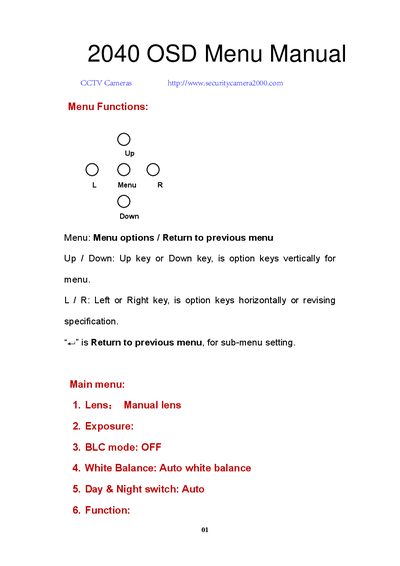
This manual explains the on‑screen display (OSD) menu structure of the Sony 600TVL CCTV camera. It describes how to move through menus using the Up/Down and Left/Right keys, select options, and return to previous screens.
The guide covers each functional area – lens type, exposure, back‑light compensation, white balance, day/night shift, image adjustment, white‑dot repair, language selection and factory reset – with recommended default values and tips for optimal image quality under various lighting conditions.
| Image Brightness Range | 0‑255 |
|---|---|
| Default Image Brightness | 50 |
| Back Light Area Gain Range | 0‑255 (default 42) |
| Back Light Compensation Width | 0‑15 (default 3) |
Press the L/R keys to select the language; four options are available: Simplified Chinese, Traditional Chinese, Japanese, and English.
Enter the Reset menu, select Factory Default and press Enter; all settings will return to their original values.
The camera supports AUTO, a range from 1/50 to 1/100000, and FLK modes for manual control.