
Installation and operation guide for SolarEdge Energy Bank battery system with safety instructions and connection steps.
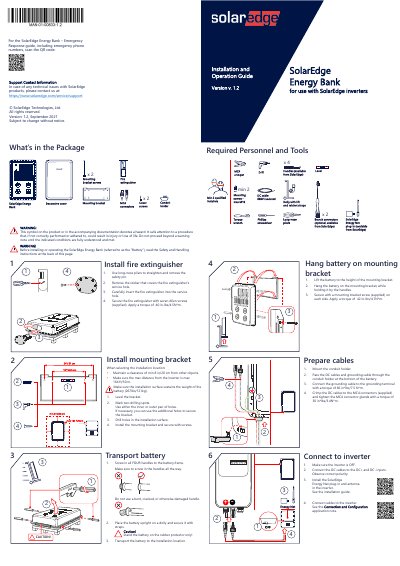
This guide provides step-by-step instructions for installing and operating the SolarEdge Energy Bank battery system. It covers unpacking, mounting, cable preparation, connecting to inverters, and safety precautions. The document also includes emergency response procedures and compliance information. Installation must be performed by qualified electricians following local codes and safety guidelines to prevent injury or damage.
| Charge/Discharge Voltage | 350-450 Vdc |
|---|---|
| Operating Temperature Range | Above 50°C/122°F or below -10°C/14°F |
| Maximum Installation Distance from Inverter | 164 ft/50 m |
| Minimum Clearance from Other Objects | 8 in/20 cm |
| Battery Weight | 267 lbs/121 kg |
Ensure the inverter is OFF, connect DC+ and DC- cables to the inverter inputs with correct polarity, install the SolarEdge Energy Net plug-in, and follow the Connection and Configuration application note.
Turn on the DC circuit breaker, then move the battery’s ON/OFF/P switch to P for 2 seconds and release.