
SolarEdge RS485 Surge Protection Kit Installation Guide

SolarEdge RS485 Surge Protection Kit Installation Guide
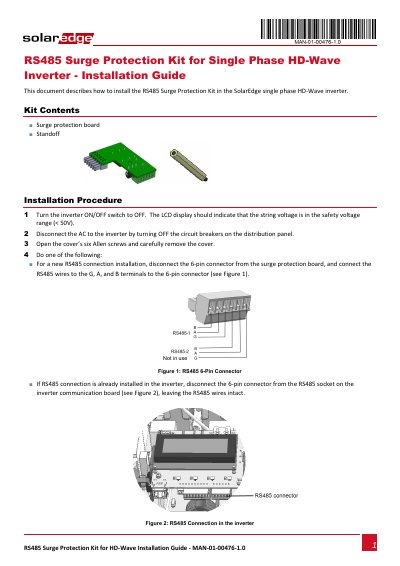

SolarEdge RS485 Surge Protection Kit Installation Guide - cover page
Brand
SolarEdge
Category
electronic components
Document type
Installation Guide
Language
English
Pages
2
File format
PDF
File size
598 KB
Published
27 October, 2023
Updated
27 October, 2023
MD5 checksum
3A870AD0DD45A2A68181148E95AC6A59

About this manual

This document provides instructions for installing the RS485 Surge Protection Kit in SolarEdge single-phase HD-Wave inverters. It lists the kit contents and outlines the installation procedure.

The procedure includes powering off the inverter, disconnecting AC, opening the cover, handling RS485 connections, mounting the surge protection board using a supplied standoff, and reconnecting wiring before restoring power.

What's inside

  • Kit Contents
  • Installation Procedure

Frequently asked questions

What components are included in the RS485 Surge Protection Kit?

The kit includes a surge protection board and a standoff.

What is the first step when installing the kit?

Turn the inverter ON/OFF switch to OFF and verify the string voltage is below 50V.

Download PDF (598 KB)

More SolarEdge Manuals


View all SolarEdge manuals →